
Multiplication as Scaling (using Sliders)
Loading the math board and drawing, please wait…
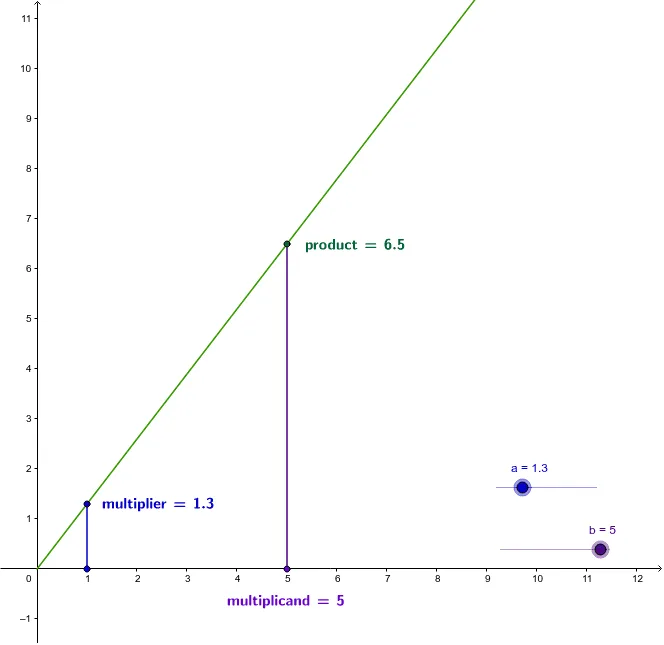
This example demonstrates multiplication as scaling using sliders, visually illustrating how multiplication affects the size of shapes. Core math concepts include multiplication, scaling, ellipses, and geometric constructions. It utilizes GeoGebra commands/objects like Ray, Segment, OrthogonalLine, Intersect, and LaTeX. Suitable for middle school and above students to learn the principles of multiplication and geometric transformations, or for mathematical teaching demonstrations.
GeoGebra Commands & Parameters
Ray(O, A) → cSegment(A', A) → dOrthogonalLine(B', xAxis) → eIntersect(c, e) → BSegment(B', B) → fLaTeX(product, true, true) → text1LaTeX(multiplier, true, true) → text2LaTeX(multiplicand, true, true) → text3
AI Drawing Prompt Reference
Demonstrate multiplication as scaling using sliders to visually show how multiplication affects the size of shapes. Start by drawing a ray and a segment, then construct a perpendicular line from a point on the segment and find the intersection with the ray. Connect the intersection point to the endpoint of the segment. Display text labels for the product, multiplier, and multiplicand next to the shapes to illustrate the multiplication relationship.
The prompt above was compiled from the original drawing commands and is for reference only.