
Multiples of 3 Circle Sort
Loading the math board and drawing, please wait…
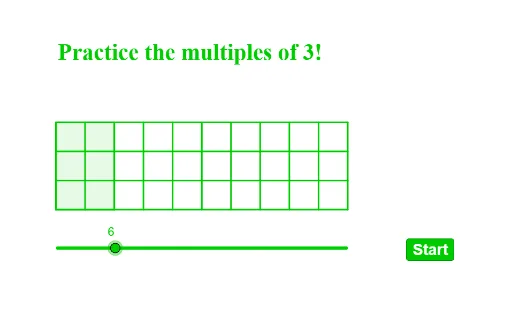
This example demonstrates sorting numbers as multiples of 3 using circles. It involves arithmetic, classification, and circle properties. Constructed using commands like Shuffle, Element, Circle, Sequence, Polygon, suitable for middle school math teaching on multiples and geometric classification.
GeoGebra Commands & Parameters
Shuffle(listp) → listq, {(3, 11), (2, 14), (8, 14), (12, 11), (11, 14), (6, 11), (15, 11), (9, 11), (5, 14), (14, 14)}Element(listq, 1) → P1Element(listq, 2) → P2Element(listq, 3) → P3Element(listq, 4) → P4Element(listq, 5) → P5Element(listq, 6) → P6Element(listq, 7) → P7Element(listq, 8) → P8Element(listq, 9) → P9Element(listq, 10) → P10Circle(P1, rR) → aaCircle(P2, rR) → bbCircle(P3, rR) → ccCircle(P4, rR) → ddCircle(P5, rR) → eeCircle(P6, rR) → ffCircle(P7, rR) → ggCircle(P8, rR) → hhCircle(P9, rR) → iiCircle(P10, rR) → jjShuffle(listquestion) → listqn, {4, 2, 3, 8, 6, 5, 7, 1, 9, 10}Element(listqn, elm) → qQSequence(Segment[(2, 9 + n), (12, 9 + n)], n, 0, 3) → l1Sequence(Segment[(m, 9), (m, 12)], m, 2, 12) → l2Polygon((2, 9), (2, 12), (a / 3 + 2, 12), (a / 3 + 2, 9)) → q1, f, g, h, i
AI Drawing Prompt Reference
Draw a geometric illustration showing numbers sorted by multiples of 3. Use circles to represent numbers, arranged in a random sequence with varying sizes, then group them by multiples of 3, connect related circles with lines, and finally enclose three areas with polygons to demonstrate mathematical classification and geometric properties.
The prompt above was compiled from the original drawing commands and is for reference only.