
More Geometric Mean Action!
Loading the math board and drawing, please wait…
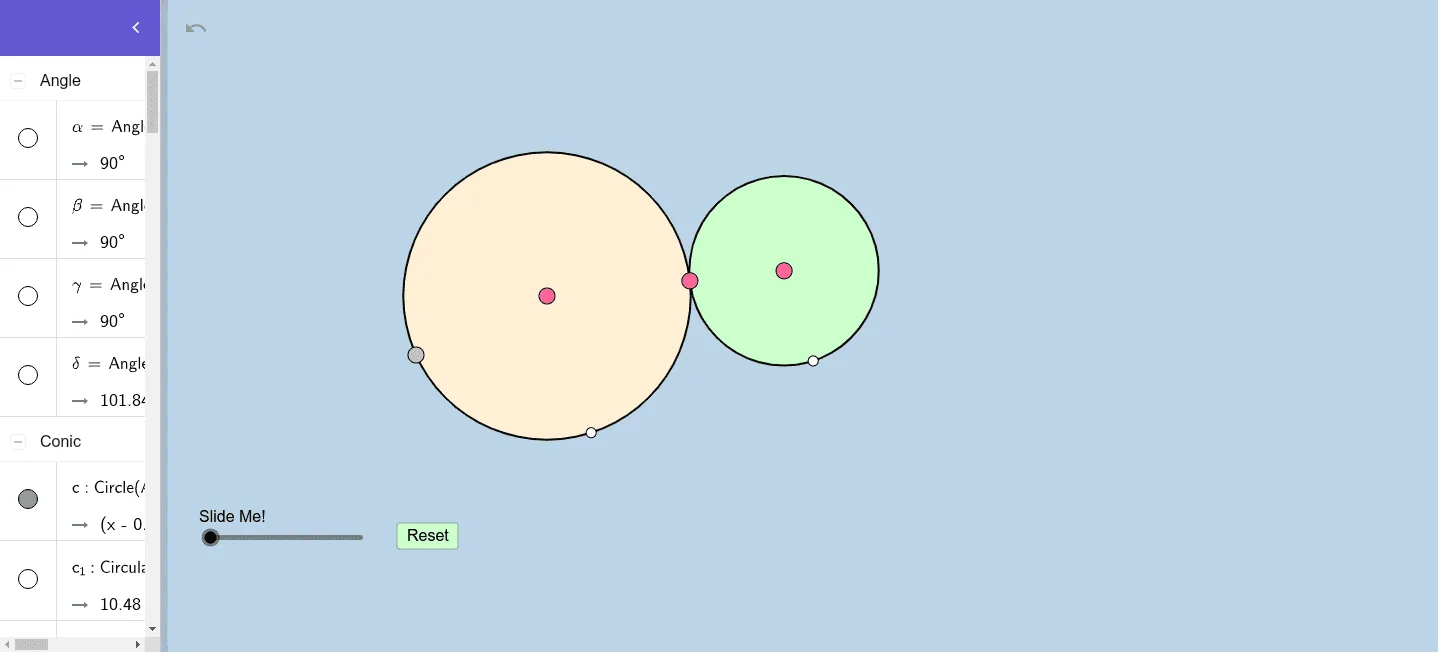
This example demonstrates how to dynamically construct geometric mean concepts and their applications in continuity, cosine theorem, unit circle, and stochastic processes. Core math concepts include geometric mean, continuity, cosine theorem, unit circle, and stochastic processes. Construction highlights involve using GeoGebra commands and objects like circle, point, segment, line, intersect, ray, tangent, semicircle, orthogonal line, midpoint, dilate, angle, rotate, circle arc, vector, and translate. Suitable for high school and above mathematics learners and educators to deeply understand the properties and applications of geometric mean.
GeoGebra Commands & Parameters
Circle(A, B) → cPoint(c) → CSegment(A, C) → fLine(A, C) → gCircle(C, 2) → dIntersect(d, g, 2) → ERay(C, E) → hPoint(h) → FCircle(F, C) → eTangent(c, e) → i, j, k, lIntersect(-5.261416527576697x² - 1.331328514734682x y + 0.9292318436914615y² + 37.667639815323x + 2.5691110450102297y = 59.25730217163144, c) → , , ,Intersect(c, i) → DIntersect(e, i) → GSemicircle(A, F) → pLine(A, F) → mOrthogonalLine(C, m) → nIntersect(p, n, 1) → HSegment(C, H) → qSegment(D, G) → rMidpoint(D, G) → IDilate(A, If[2 < o ≤ 3, 3 - o, 0], D) → A'Dilate(F, If[2 < o ≤ 3, 3 - o, 0], G) → F'Segment(A, A') → sSegment(F, F') → tDilate(D, If[0 < o ≤ 1, 1 - o, 0], I) → D'Dilate(I, If[1 < o ≤ 2, 2 - o, 0], G) → I'Segment(D, D') → f_1Segment(I, I') → g_1Angle(I, D, A) → αAngle(F, G, I) → βDilate(A, If[3 < o ≤ 4, 4 - o, 0], C) → A'_1Dilate(C, If[4 < o ≤ 5, 5 - o, 0], F) → C'Segment(A, A'_1) → h_1Segment(C, C') → i_1Rotate(F, If[5 < o ≤ 6, ((o - 5) * π), π], Midpoint[A, F]) → F'_1Midpoint(A, F) → JCircleArc(J, F, F'_1) → c_1Dilate(H, If[7 < o ≤ 8, 8 - o, 0], C) → H'Segment(H, H') → j_1Angle(H, C, A) → γSegment(F, G) → k_1Angle(H, I, D) → δRotate(H, If[9 < o ≤ 10, ((o - 9) * δ), δ], C) → H'_1Rotate(H', If[9 < o ≤ 10, ((o - 9) * δ), δ], C) → H''Segment(H'_1, H'') → l_1Dilate(C, If[10 < o ≤ 11, 11 - o, 0], I) → C'_1Vector(C, C'_1) → uTranslate(H'_1, u) → KTranslate(H'', u) → H'''Segment(K, H''') → m_1Rotate(K, If[11 < o ≤ 12, ((-(o - 11)) * π), (-π)], I) → K'Rotate(H''', If[11 < o ≤ 12, ((-(o - 11)) * π), (-π)], I) → LSegment(K', L) → n_1
AI Drawing Prompt Reference
Draw a circle with a point on it. Connect the center to that point and extend the line beyond the circle. Pick a point on the extension and draw a new circle centered there passing through the original circle's point. Construct the common tangents of the two circles and mark the tangent points. Draw a semicircle with the original circle's point and the extension point as endpoints, and drop a perpendicular from the original center to this diameter, intersecting the semicircle. Connect that intersection to the center. Then create several dynamically scaled points along segments that shrink or grow with a parameter, and display associated angles. Finally, use rotation and vector translation to create a moving arc and a translated copy, illustrating geometric mean in continuity and the cosine theorem.
The prompt above was compiled from the original drawing commands and is for reference only.