
More Dilations
Loading the math board and drawing, please wait…
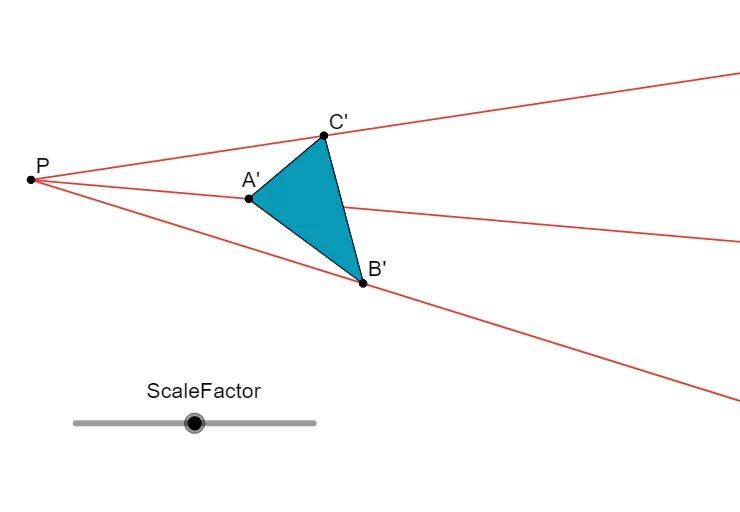
This example demonstrates more about dilations, involving key mathematical concepts such as the properties and applications of dilations. Using GeoGebra commands like Ray, Polygon, Dilate, and Segment, the process of dilations can be visually demonstrated. Suitable for middle school and above students or teachers.
GeoGebra Commands & Parameters
Ray(P, C) → fRay(P, A) → gRay(P, B) → hPolygon(C, A, B) → poly1, b, c, aDilate(C, ScaleFactor, P) → C'Dilate(A, ScaleFactor, P) → A'Dilate(B, ScaleFactor, P) → B'Polygon(C', A', B') → poly1', b', c', a'Segment(E, D) → i
AI Drawing Prompt Reference
Draw a triangle ABC with point P outside it. Dilate triangle ABC with point P as the center and a scale factor of 2 to get triangle A'B'C'. Then, draw rays PA, PB, and PC. Finally, connect points D and E to form segment DE.
The prompt above was compiled from the original drawing commands and is for reference only.