
Minimizing the Area of a Triangle
Loading the math board and drawing, please wait…
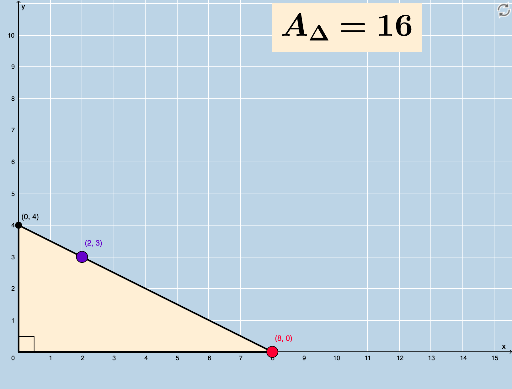
This example demonstrates the application of calculus optimization to minimize the area of a triangle. Key concepts include triangle area calculation, derivatives, and extremum. Constructed using GeoGebra commands such as Point, Ray, Intersect, Segment, and Polygon, it is suitable for high school mathematics education and learning.
GeoGebra Commands & Parameters
PointIn(l) → GRay(D, F) → fRay(A, B) → bRay(A, C) → cPoint(f) → ERay(E, G) → hIntersect(h, x = 0) → HSegment(H, E) → iPolygon(I, E, H) → t1, h_1, i_1, eSegment(H, I) → mSegment(I, E) → nAngle(E, I, H) → α
AI Drawing Prompt Reference
Draw a triangle with its base on the x-axis and its vertex above the x-axis. Adjust the position of the vertex to minimize the triangle's area. Start by taking two points A and B on the x-axis, then take a point C above the x-axis and connect A, B, and C to form a triangle. Next, take a point G on the x-axis and draw a ray from G that intersects C at point E, then draw a vertical ray from E that intersects G at point H, and finally connect H, E, H, and I to form a triangle, and connect H and I.
The prompt above was compiled from the original drawing commands and is for reference only.