
Maximizing Area of a Regular Polygon
Loading the math board and drawing, please wait…
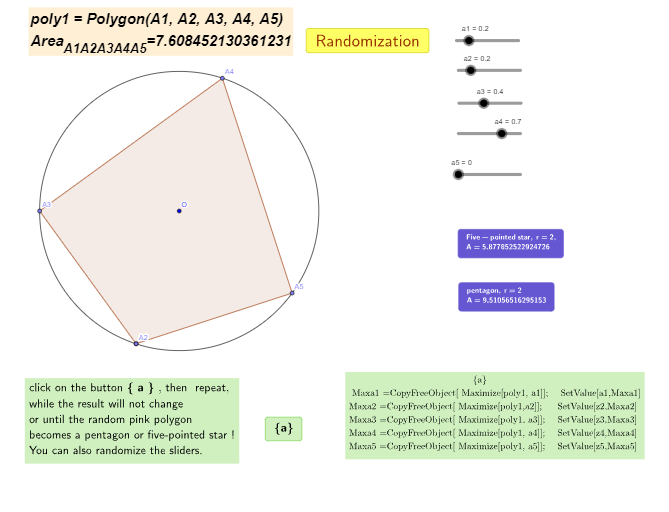
This example demonstrates that a regular polygon has the largest area among all polygons with the same perimeter using GeoGebra. Key math concepts include area calculation, optimization, and polygon geometry. Construction involves commands like Circle, Point, Polygon, and variables a1-a5 to control vertices, with the Maximize command finding the optimal solution. Suitable for high school students and math enthusiasts exploring geometric optimization problems.
GeoGebra Commands & Parameters
Circle(O, r) → cPoint(c, a5) → A3Point(c, a1) → A1Point(c, a2) → A2Point(c, a3) → A5Point(c, a4) → A4Polygon(A2, A1, A5, A4, A3) → poly1, a, b, d, e, f
AI Drawing Prompt Reference
Draw a regular polygon with adjustable vertices to show how its area changes with the number of sides while keeping the perimeter constant, highlighting the polygon with the maximum area. Start by drawing a circle centered at a point, then mark points on the circle at varying distances to represent the vertices of the polygon. Connect these points to form the polygon, and use different colors or line thicknesses to distinguish polygons with different numbers of sides and their respective areas, ultimately emphasizing the polygon with the largest area.
The prompt above was compiled from the original drawing commands and is for reference only.