
Matrix Transformation Inquiry Activity
Loading the math board and drawing, please wait…
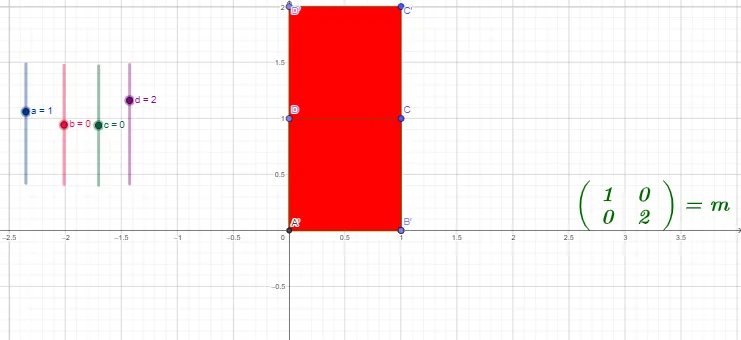
This example demonstrates how to explore geometric transformations like reflections along the x-axis and y-axis using matrices in GeoGebra. It covers core concepts such as matrices, geometric transformations, linear functions, and coordinate geometry. The construction uses commands like Intersect, Point, Polygon, ApplyMatrix, CircleArc, focusing on matrix application and polygon manipulation. Ideal for high school mathematics education to understand the relationship between linear transformations and geometric figures.
GeoGebra Commands & Parameters
Intersect(xAxis, yAxis) → APoint(xAxis) → BPoint(yAxis) → DPolygon(A, B, C, D) → q1, a_1, b_1, c_1, d_1ApplyMatrix(M, A) → A'ApplyMatrix(M, B) → B'ApplyMatrix(M, C) → C'ApplyMatrix(M, D) → D'Polygon(A', B', C', D') → q1', a', b', c', d'CircleArc(A, B, B') → e
AI Drawing Prompt Reference
Draw a quadrilateral formed by four points on the x-axis and y-axis. Then, apply a matrix transformation to obtain a new quadrilateral. Connect the two quadrilaterals with an arc. The overall shape illustrates the relationship between coordinate geometry and matrix transformations.
The prompt above was compiled from the original drawing commands and is for reference only.