
Matrix Representation of a Rotation
Loading the math board and drawing, please wait…
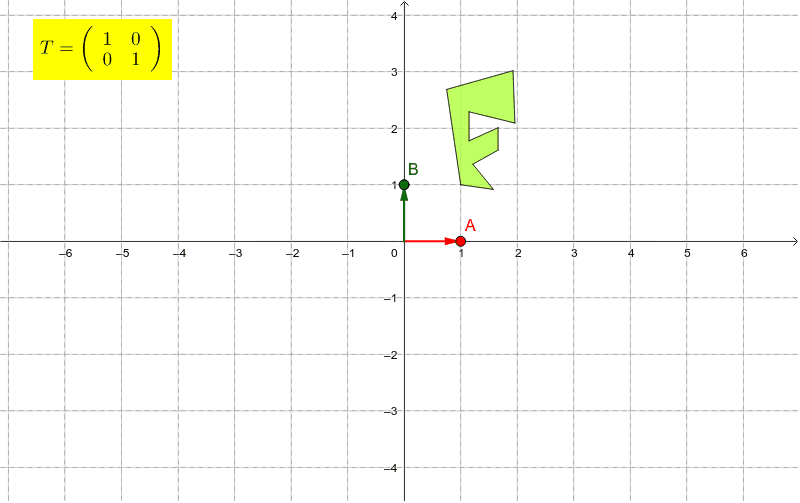
This example demonstrates how a rotation matrix is represented using points A and B to control its columns. It shows how a rotation operation can be expressed through vectors. Commands used include Sequence, Point, Segment, Vector, Polygon, and ApplyMatrix. Suitable for high school mathematics, particularly in coordinate geometry and transformations.
GeoGebra Commands & Parameters
Sequence((cos(t), sin(t)), t, 0*°, 350*°, 10*°) → ptsPoint(pts) → ASegment((0, 0), A) → aVector((0, 0), A) → uVector((0, 0), B) → vPolygon(C, D, E, F, G, H, I, J, K, L) → poly1, c, l, d, e, f, g, h, i, j, kApplyMatrix(matrix1, C) → C'ApplyMatrix(matrix1, D) → D'ApplyMatrix(matrix1, E) → E'ApplyMatrix(matrix1, F) → F'ApplyMatrix(matrix1, G) → G'ApplyMatrix(matrix1, H) → H'ApplyMatrix(matrix1, I) → I'ApplyMatrix(matrix1, J) → J'ApplyMatrix(matrix1, K) → K'ApplyMatrix(matrix1, L) → L'Polygon(C', D', E', F', G', H', I', J', K', L') → poly1', c', l', d', e', f', g', h', i', j', k'Sequence(Line[(t * B), u], t, -20, 20) → list1Sequence(Line[(t * A), v], t, -20, 20) → list2