
Matrix Operations: Transpose, Inverse, and Scalar Multiple
Loading the math board and drawing, please wait…
In collections
Linear Algebra
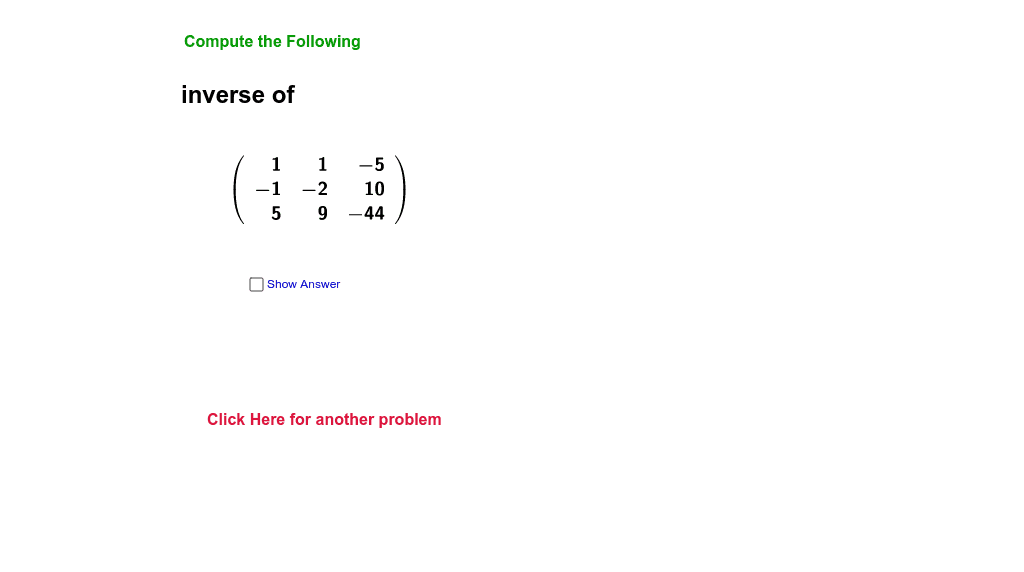
This example demonstrates matrix transpose, inverse, and scalar multiple operations using GeoGebra. Key mathematical concepts include matrix operations and linear algebra. Commands like Random, Element, LaTeX, Determinant are used to visually illustrate the matrix operations. Suitable for high school and above students to learn matrix operations.
GeoGebra Commands & Parameters
Random(1, 5) → pickRandom(-7, 7) → cRandom(-7, 7) → c12Random(-7, 7) → c13Random(-7, 7) → c23Random(-3, 3) → qRandom(-3, 3) → sRandom(-4, 4) → rElement({"inverse of", "transpose of", "scalar multiple of", "reduced Row Echelon Form of", "determinant of"}, pick) → opElement({A3^(-1), Transpose[A3], (c * A3), ReducedRowEchelonForm[A3]}, pick) → CLaTeX(C1) → text4Determinant(A3) → bIf(pick ≟ 5, A3 + (c * A2), A3) → A4Determinant(A4) → DcIf(pick ≟ 5, A4, A3) → showMLaTeX(showM) → text2
AI Drawing Prompt Reference
Create a 3x3 matrix A3 and perform transpose, inverse, and scalar multiplication operations. First, randomly generate the elements of matrix A3, then based on the randomly selected operation type (transpose, inverse, scalar multiplication), generate the corresponding matrix C and display it in LaTeX format. Finally, calculate the determinant of the matrix and show the final matrix as needed.
The prompt above was compiled from the original drawing commands and is for reference only.