
Matrix Multiplication Animated Example: Step-by-Step Visual Demo
Loading the math board and drawing, please wait…
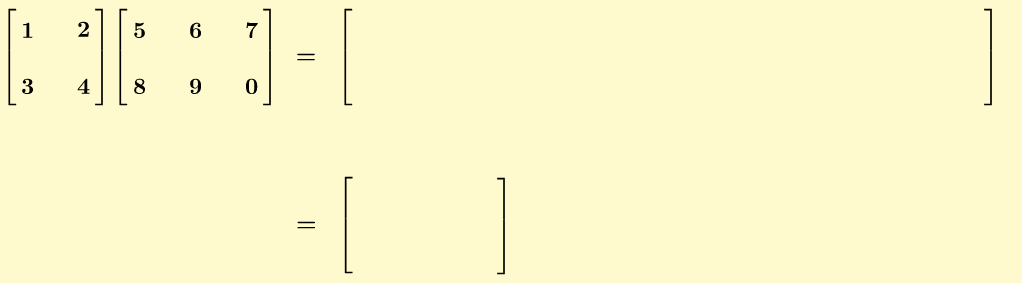
① This GeoGebra example provides an animated, step-by-step visualization of matrix multiplication, showing how each element of the product matrix is computed by multiplying corresponding row and column entries and summing them. ② The core mathematical concept is matrix multiplication, including dimension compatibility, element-wise operations, and the structure of the resulting matrix. ③ Construction highlights: the Mod command drives the animation steps, Polygon creates visual grids for matrix elements, and numerous text objects (text2 through text17) dynamically display the multiplication expressions and intermediate results; objects A through R store matrix entries and computed values. ④ Suitable for high school and early college students learning linear algebra, and for teachers demonstrating the abstract rules of matrix multiplication in an interactive classroom setting.
GeoGebra Commands & Parameters
Mod(9, 6) → aPolygon(A, (x(A), y(A_1)), A_1, (x(A_1), y(A))) → poly1, a_1, g, a_2, hPolygon(E, (x(E), y(B_1)), B_1, (x(B_1), y(E))) → poly2, e, i, b_1, jPolygon(S, (x(S), y(C_1)), C_1, (x(C_1), y(S))) → poly3, s, k, c_1, lPolygon(S, (x(S), y(D_1)), D_1, (x(D_1), y(S))) → poly4, s_1, m, d_1, nPolygon(H, (x(H), y(E_1)), E_1, (x(E_1), y(H))) → poly5, h_1, p, e_1, qPolygon(V, (x(V), y(F_1)), F_1, (x(F_1), y(V))) → poly6, v, r, f_1, bPolygon(I, (x(I), y(G_1)), G_1, (x(G_1), y(I))) → poly7, i_1, c, g_1, dPolygon(W, (x(W), y(H_1)), H_1, (x(H_1), y(W))) → poly8, w, j_1, h_2, k_1Polygon(C, (x(C), y(I_1)), I_1, (x(I_1), y(C))) → poly9, c_2, l_1, i_2, m_1Polygon(T, (x(T), y(H_1)), H_1, (x(H_1), y(T))) → poly10, t_1, n_1, h_3, p_1
AI Drawing Prompt Reference
Create an animated example of matrix multiplication, showing how each element of the product matrix is computed by multiplying corresponding row and column entries and summing them. Use a slider to control the animation steps, and create grid polygons to display matrix elements. Dynamically show multiplication expressions and intermediate results with text objects. First, create grid polygons, then use text objects to display the calculation process.
The prompt above was compiled from the original drawing commands and is for reference only.