
Math 4 72/2
Loading the math board and drawing, please wait…
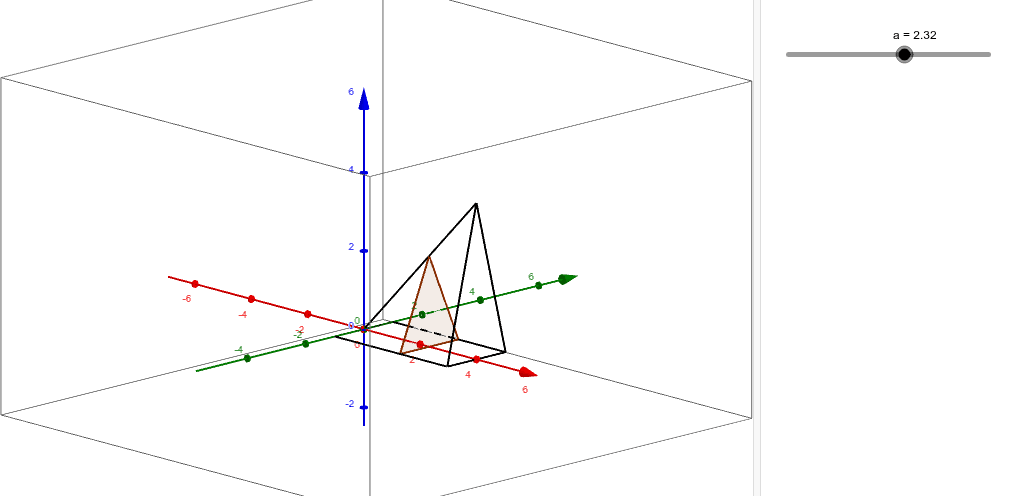
This example demonstrates the geometric construction and calculation process of 72/2; core math concepts include coordinate geometry, polygon construction, and function graphing; construction highlights: using GeoGebra commands CurveCartesian and Polygon to create curves and polygons, with objects like A, B, C, D, S, Q, a, poly1, b, c, d; suitable for high school mathematics teaching and learning, understanding geometric figure construction and function graph representation.
GeoGebra Commands & Parameters
CurveCartesian(0, t, 0, t, -1, 1) → ACurveCartesian(t, 1, 0, t, 0, 4) → BCurveCartesian(4, t, 0, t, -1, 1) → CCurveCartesian(t, -1, 0, t, 0, 4) → DCurveCartesian(t, 0, t, t, 0, 4) → SCurveCartesian(4, t, 4 - abs((4 * t)), t, -1, 1) → QPolygon(S(a), B(a), D(a)) → poly1, b, c, d
AI Drawing Prompt Reference
Draw a triangle formed by points S, B, and D, and four curves. The first curve starts from the origin and extends upwards along the y-axis; the second curve starts from the origin and extends to the right along the x-axis; the third curve starts from (4,0) and extends to the right along the x-axis; the fourth curve starts from the origin and extends to the right along a V-shaped curve; the fifth curve starts from (4,0) and extends to the right along a specific curve, forming an inverted triangular shape.
The prompt above was compiled from the original drawing commands and is for reference only.