
Marble Displacement Simulation
Loading the math board and drawing, please wait…
In collections
Geometry-Volume and Surface Area
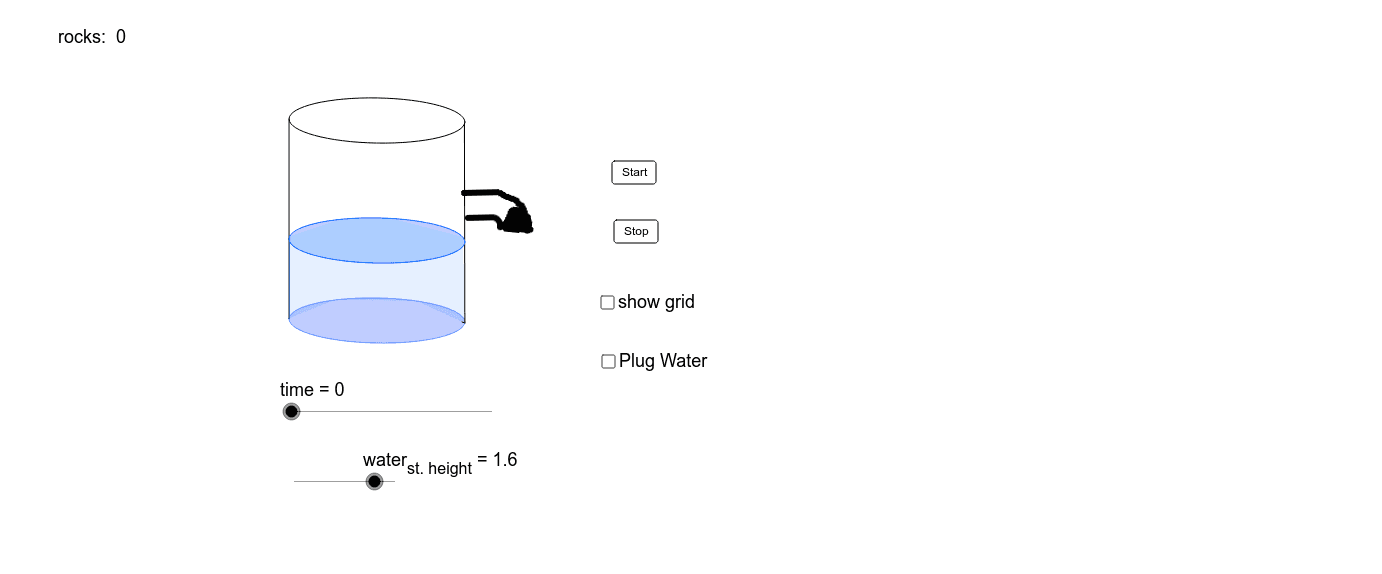
This example demonstrates the dynamic change in water level as marbles are dropped. It involves core math concepts like volume, percentages, fractions, Pythagorean theorem, perimeter, and complex numbers. Construction highlights include commands like Point, Max, Min, Translate, Ellipse, Segment, Polygon, Circle, and Sequence, along with objects V_4, W_2, etc. Suitable for middle school and above, focusing on volume calculation, geometric transformations, and dynamic simulations.
GeoGebra Commands & Parameters
Point(xAxis) → VPoint(xAxis) → UMax(0, (time - 14 - Mod[time - 14, 3]) / 3 + 1) → rocksMax(0, Min[water_{st. height} * 3.14 * 1.75^(2) / 0.3, water_{st. height} * 3.14 * 1.75^(2) + rocks * 4 / 3 * 3.14 * radius_{marble}^(3)] - 3.14 * 1.75^(2) * 2) → cup_{vol}Min(0.75, (8 * cup_{vol} / 6.28 + 1)^(1 / 3) / 2) → cup_{rad}Min(6 * (cup_{rad} - 0.5) * (1 - plug), 1.5) → cup_{height}Translate(W, Vector[cup_{height} / 1.5 * Vector[W, W_2]]) → W_3Translate(V, Vector[cup_{height} / 1.5 * Vector[V, V_2]]) → V_3Translate(U, Vector[cup_{height} / 1.5 * Vector[U, U_2]]) → U_3Ellipse(U_3, V_3, W_3) → g_1Point(g_1) → V_5Min(water_{st. height} / 0.5, If[plug ≟ 0 ∧ (water_{st. height} * 3.14 * 1.75^(2) + rocks * 4 / 3 * 3.14 * radius_{marble}^(3) < 21.2), 2, 4]) → water_{max}Min(water_{max}, water_{st. height} + rocks * 4 / 3 * radius_{marble}^(3) / 1.75^(2)) → water_{ht}Ellipse(A_1, A_3, A_2) → c_1Translate(c_1, Vector[(0, 0), (0, 4)]) → c_2Point(c_2) → B_1Point(c_2) → B_2Point(c_1) → B_3Point(c_1) → B_4Segment(B_4, A_3) → aSegment(B_1, B_4) → bSegment(B_2, B_3) → cPoint(c_1) → B_{12}Translate(c_1, Vector[(0, 0), (0, water_{ht})]) → c_3Point(c_3) → B_5Point(c_3) → B_6Point(c_1) → B_7Point(c_1) → B_8Point(c_3) → B_9Point(c_3) → B_{10}Point(c_1) → B_{11}Polygon(B_6, B_9, B_5, B_{10}, B_{11}, B_8, B_7, B_{12}) → poly1, i, l, h, m, n, k, j, rEllipse(U, V, W) → eEllipse(U_2, V_2, W_2) → fPoint(f) → Y_1Point(f) → Y_2Point(e) → Y_3Point(e) → Y_5Segment(Y_3, Y_2) → gSegment(Y_5, Y_1) → pPolygon(T_1, T_2, T_3, T_4, T_5, T_6, T_7) → poly2, d, q, s, t, a_1, b_1, d_1Polygon(U_3, U, V_4, W, V, V_3, W_3, V_5) → poly3, e_1, f_1, h_1, i_1, j_1, k_1, l_1, m_1Point(e) → T_{10}Point(e) → T_{11}Circle(A, 1.75) → p_1Circle(C_2, radius_{marble}) → q_1Circle(C_3, radius_{marble}) → q_2Circle(C_4, radius_{marble}) → q_3Circle(C_5, radius_{marble}) → q_4Circle(C_6, radius_{marble}) → q_5Sequence(Circle[(1.9 + Mod[fill_{pattern} * k, 2.7], Max[15 + 3 * k - time, 0.3 * (k - Mod[k, 5]) / 5]), radius_{marble}], k, 0, 100) → list1
AI Drawing Prompt Reference
Create a dynamic simulation showing the water level change as marbles are dropped into a cup. Illustrate the relationship between the cup, marbles, and water level, including calculated water height and cup volume, along with the geometric shape of the marbles. Start with the initial state of the cup and water surface, then dynamically adjust the water level based on the number and volume of marbles, and finally place each marble into the cup to show the rising water level.
The prompt above was compiled from the original drawing commands and is for reference only.