
Making Parallel Lines 1
Loading the math board and drawing, please wait…
In collections
P3 3S1 平行線 / Parallel Lines
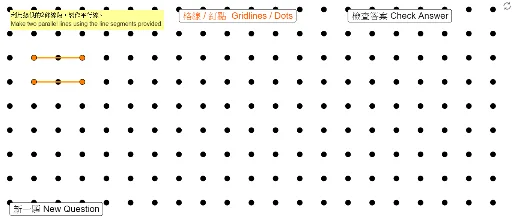
This example demonstrates how to construct parallel lines to illustrate geometric symmetry. It involves core math concepts like straight lines, linear functions, rectangles, geometric constructions, ratios, and sequences. GeoGebra commands and objects used include Segment, Sequence, and Line. Suitable for middle school and above students to learn about the properties and construction of parallel lines.
GeoGebra Commands & Parameters
Segment(PoA1, PoA2) → segASegment(PoB1, PoB2) → segBSequence(Sequence[(s, t), s, 0, 25], t, -5, 13) → ListDotsLine(PoA1, PoA2) → LiALine(PoB1, PoB2) → LiB
AI Drawing Prompt Reference
Draw two lines through two pairs of points and two line segments. Generate a series of dots on the coordinate plane following a specific pattern. Connect the two line segments with lines to illustrate the construction and geometric symmetry of parallel lines.
The prompt above was compiled from the original drawing commands and is for reference only.