
Lunging Lizard: Dynamic Geometry with Rotation and Vectors
Loading the math board and drawing, please wait…
In collections
Leaping Lizards
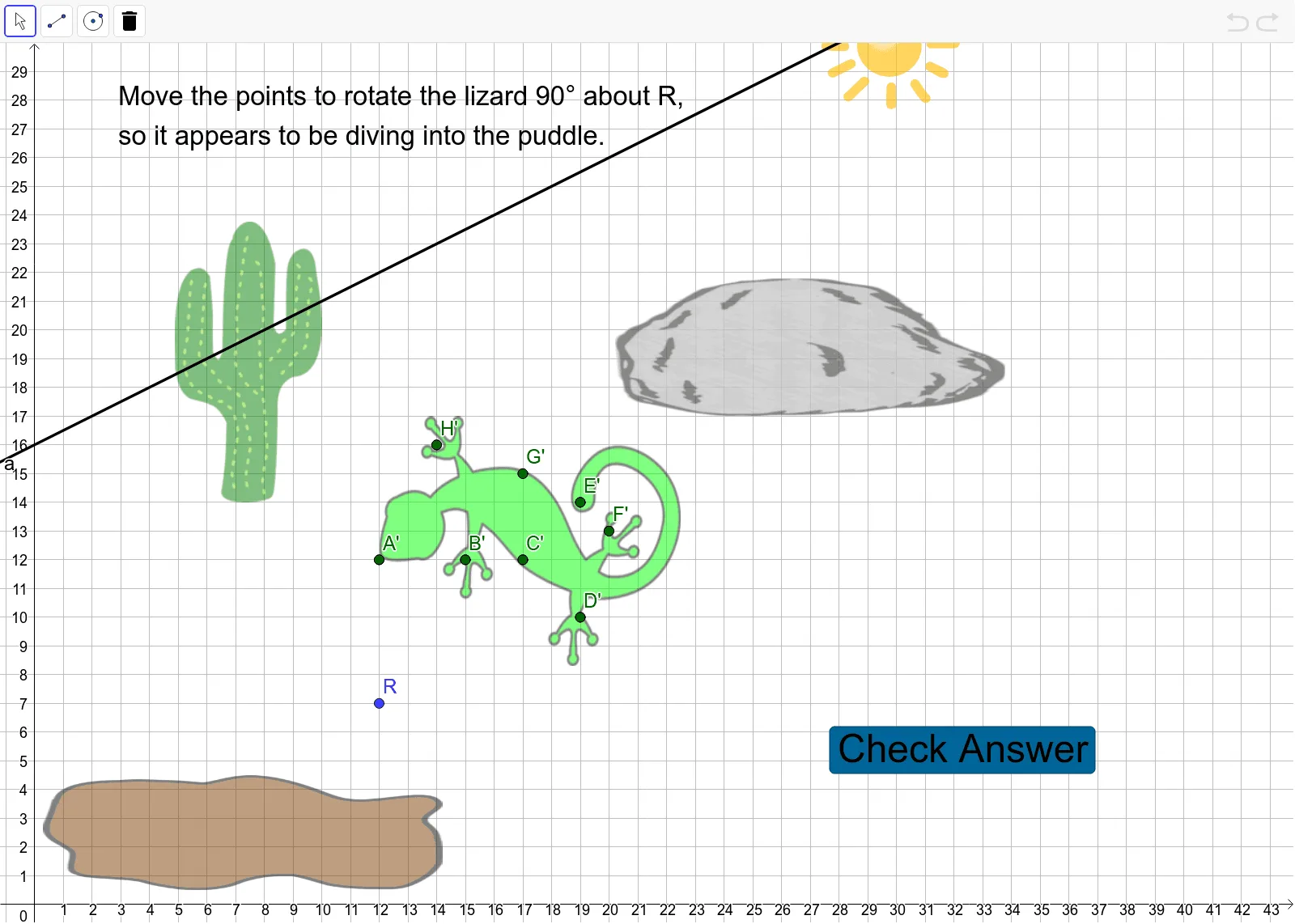
① This example demonstrates a cartoon scene of a lizard lunging, using GeoGebra's Rotate and Vector commands to control the position and orientation of graphical objects dynamically. ② Core mathematical concepts include geometric transformations (rotation), vector operations, and trigonometric functions (e.g., angle correspondence on the unit circle), along with elements of linear programming or optimization for arranging the lizard, rocks, cacti, and puddles in a coherent scene. ③ Construction highlights: from the summary, commands such as Point, Rotate, and Vector are used to create objects like Lizard, Rock, Cactus, Puddle, Sun, and a slider α controlling the rotation angle, with vector u driving the lizard's movement to simulate the lunge. ④ Suitable for high school students learning geometric transformations, vectors, and trigonometry in an integrated way, or for math modeling and fun demonstrations to visualize how rotation and vectors work in dynamic graphics.
GeoGebra Commands & Parameters
Point({0.3, 4.5}) → Puddle_3Rotate(A, α, R) → A_1Vector(A, A_1) → uRotate(B, α, R) → B_1Rotate(C, α, R) → C_1Rotate(D, α, R) → D_1Rotate(E, α, R) → E_1Rotate(F, α, R) → F_1Rotate(G, α, R) → G_1Rotate(H, α, R) → H_1Rotate(Lizard, α, R) → Answer
AI Drawing Prompt Reference
Draw a dynamic scene of a lizard lunging. Start by creating a point for a puddle, then use the Rotate command to rotate the lizard, rocks, cacti, etc., around a fixed point, with the rotation angle controlled by a slider. Create a vector to represent the direction of the lizard's jump, making the rotation and movement more realistic.
The prompt above was compiled from the original drawing commands and is for reference only.