
Luiz Sacilotto's Art and Mathematics Integration
Loading the math board and drawing, please wait…
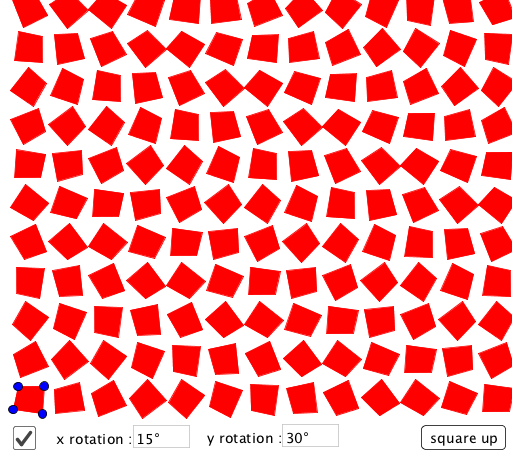
This example demonstrates how to use GeoGebra to construct polygons and apply commands like rotation, sequence, and text, showcasing transformations and properties of polygons. The core math concepts involved include polygons, rotation, sequences, and geometric construction. Key construction elements use commands/objects such as Polygon, Max, Sequence, Textfield, Rotate, suitable for high school and above to explore geometric transformations and artistic creation.
GeoGebra Commands & Parameters
Polygon(A, B, C, D) → poly1, a, b, c, dMax({Distance[A, B], Distance[A, C], Distance[A, D], Distance[B, C], Distance[B, D], Distance[C, D]}) → dstSequence(Sequence[Translate[Polygon[Rotate[A, (i * angx) + (j * angy), E], Rotate[B, (i * angx) + (j * angy), E], Rotate[C, (i * angx) + (j * angy), E], Rotate[D, (i * angx) + (j * angy), E]], Vector[(dst * (i, j))]], i, 0, N - 1], j, 0, N - 1) → list1Textfield(angx) → InputBox1Textfield(angy) → InputBox2Rotate(A, 90°, E) → B'Rotate(A, 180°, E) → C'Rotate(A, 270°, E) → D'
AI Drawing Prompt Reference
Draw a quadrilateral and rotate it around a central point to create multiple copies, showing a pattern of transformed quadrilaterals. The distance between each rotated quadrilateral is equal, and the rotation angles change gradually. Include input boxes for the rotation angles and use distinct colors for each rotated quadrilateral to illustrate geometric transformations and sequence generation in art.
The prompt above was compiled from the original drawing commands and is for reference only.