
Long Division Practice by lookang
Loading the math board and drawing, please wait…
In collections
Order of Operations
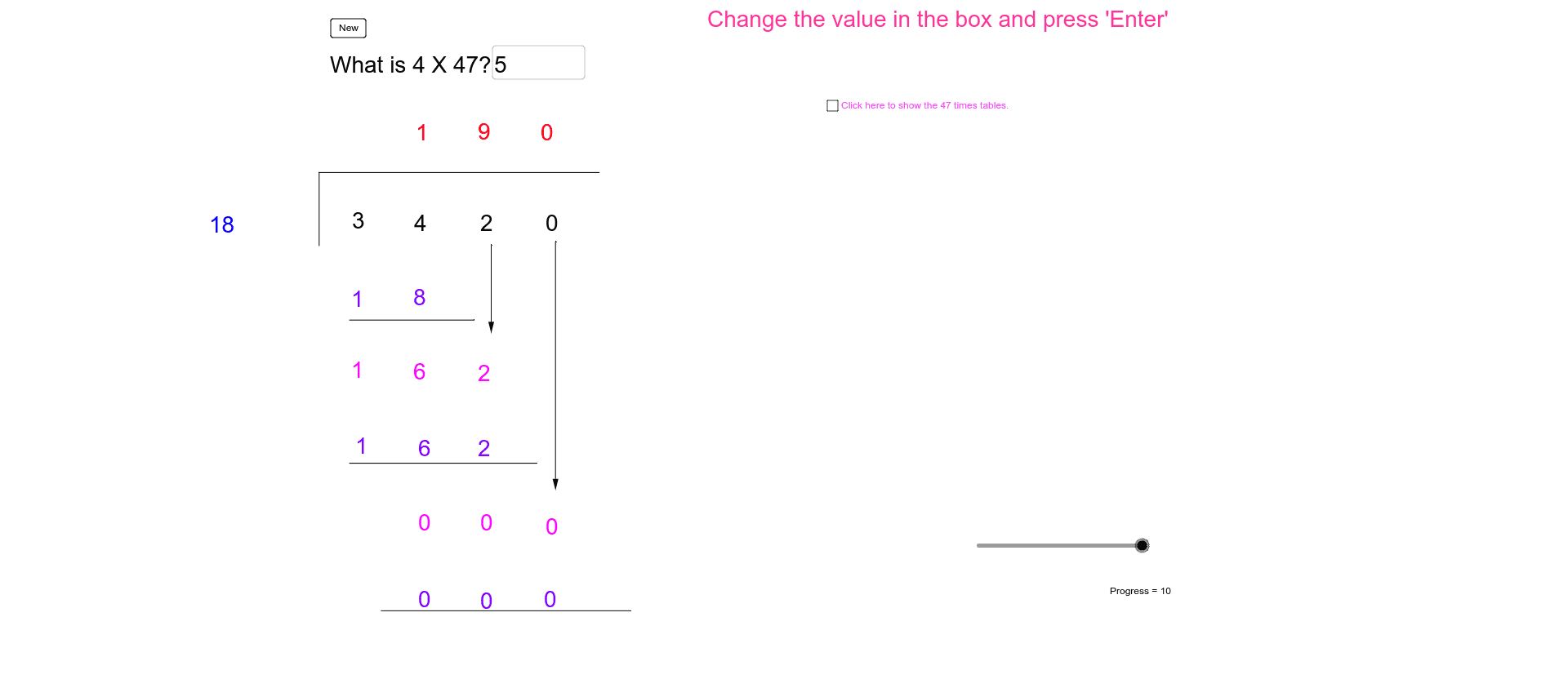
This worksheet allows students to practice the conventional long division algorithm. Through this example, students can understand the basic steps and principles of long division. GeoGebra commands such as Random, Div, Mod, Segment, Textfield, and Vector are used to help students visually understand the division operation. Suitable for high-grade elementary and junior high school students for math practice.
GeoGebra Commands & Parameters
Random(0, 9) → QuotientUnitsRandom(0, 9) → DivisorUnitsRandom(1, 4) → DivisorTensRandom(1, 9) → QuotientTensRandom(1, 2) → QuotientHundredsDiv(Dividend, 1000) → DividendThousandsDiv(Mod[Dividend, 1000], 100) → DividendHundredsDiv(Mod[Dividend, 100], 10) → DividendTensMod(Dividend, 10) → DividendUnitsSegment(A, B) → aSegment(B, C) → bTextfield(answer) → QuestionDiv((QuotientHundreds * Divisor), 10) → Product1TensMod((QuotientHundreds * Divisor), 10) → Product1UnitsSegment(D, E) → cDiv(RemainderTens, 10) → Difference1TensMod(RemainderTens, 10) → Difference1UnitsVector(F, G) → uDiv((QuotientTens * Divisor), 100) → Product2HundredsDiv(Mod[(QuotientTens * Divisor), 100], 10) → Product2TensMod((QuotientTens * Divisor), 10) → Product2UnitsSegment(H, I) → dDiv(RemainderUnits, 10) → Difference2TensMod(RemainderUnits, 10) → Difference2UnitsVector(J, K) → vSegment(L, M) → e
AI Drawing Prompt Reference
Draw a long division practice diagram showing randomly generated dividend and divisor, display the quotient's digits, use segments and decimal points to represent the calculation process, and use vectors to indicate carry-over, finally showing the product and difference, with the construction order being generating numbers, calculating products and differences, drawing segments and vectors, and labeling key steps.
The prompt above was compiled from the original drawing commands and is for reference only.