
Long Division Demonstration
Loading the math board and drawing, please wait…
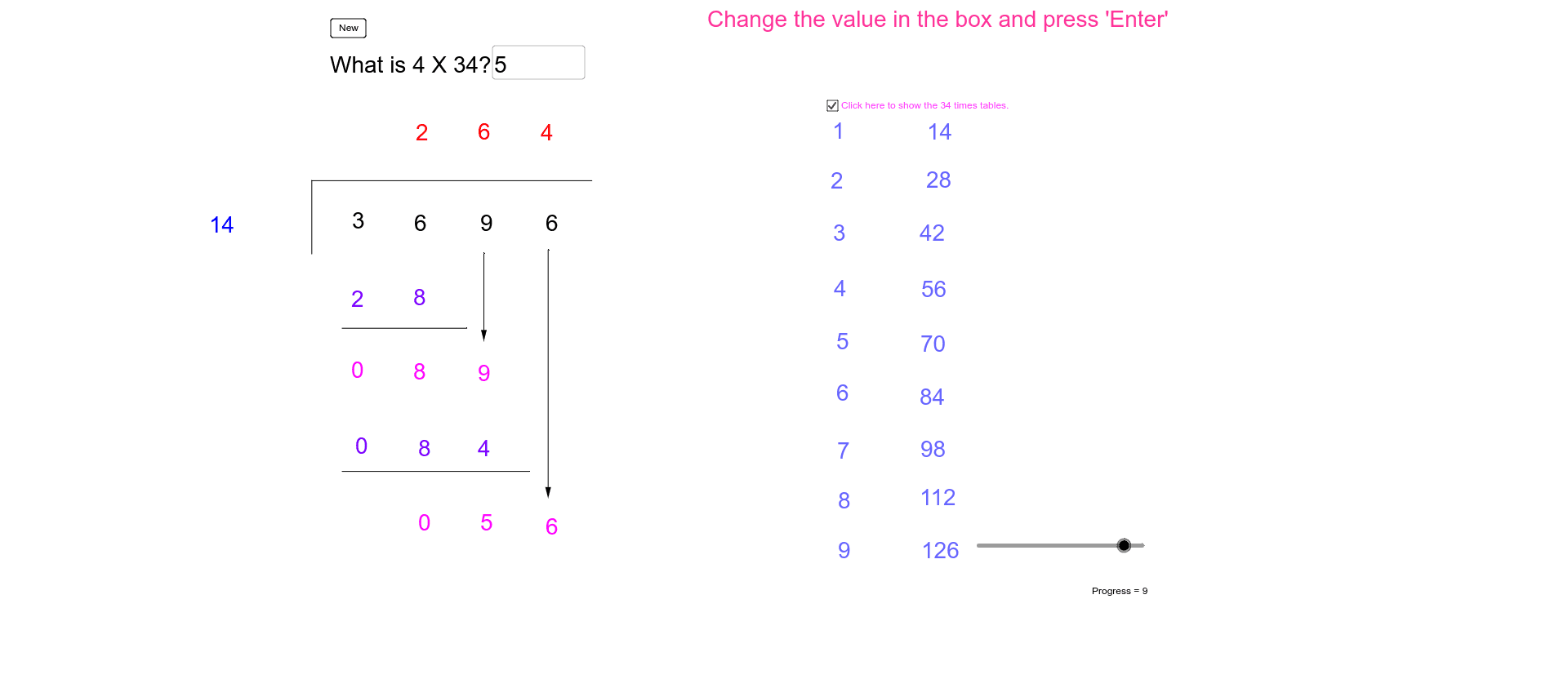
This example demonstrates the process of long division. It involves the core concept of division and constructs an interactive long division model using GeoGebra commands such as Random, Div, Mod, etc. Users can input the dividend and divisor to observe each step of the long division. Suitable for high-grade elementary and junior high school students to learn division operations.
GeoGebra Commands & Parameters
Random(0, 9) → QuotientUnitsRandom(0, 9) → DivisorUnitsRandom(1, 4) → DivisorTensRandom(1, 9) → QuotientTensRandom(1, 2) → QuotientHundredsDiv(Dividend, 1000) → DividendThousandsDiv(Mod[Dividend, 1000], 100) → DividendHundredsDiv(Mod[Dividend, 100], 10) → DividendTensMod(Dividend, 10) → DividendUnitsSegment(A, B) → aSegment(B, C) → bTextfield(answer) → QuestionDiv((QuotientHundreds * Divisor), 10) → Product1TensMod((QuotientHundreds * Divisor), 10) → Product1UnitsSegment(D, E) → cDiv(RemainderTens, 10) → Difference1TensMod(RemainderTens, 10) → Difference1UnitsVector(F, G) → uDiv((QuotientTens * Divisor), 100) → Product2HundredsDiv(Mod[(QuotientTens * Divisor), 100], 10) → Product2TensMod((QuotientTens * Divisor), 10) → Product2UnitsSegment(H, I) → dDiv(RemainderUnits, 10) → Difference2TensMod(RemainderUnits, 10) → Difference2UnitsVector(J, K) → vSegment(L, M) → e
AI Drawing Prompt Reference
Draw a long division diagram, including the dividend, divisor, quotient, and remainder. First, randomly generate a four-digit dividend and a one-digit divisor. Then, perform each step of the long division calculation, including the quotient's hundreds, tens, and units, as well as the remainder after each calculation. Finally, use segments to represent each step of the calculation process and text fields to display the results of each step.
The prompt above was compiled from the original drawing commands and is for reference only.