
Locus of Two Points
Loading the math board and drawing, please wait…
In collections
Conic Section Collection
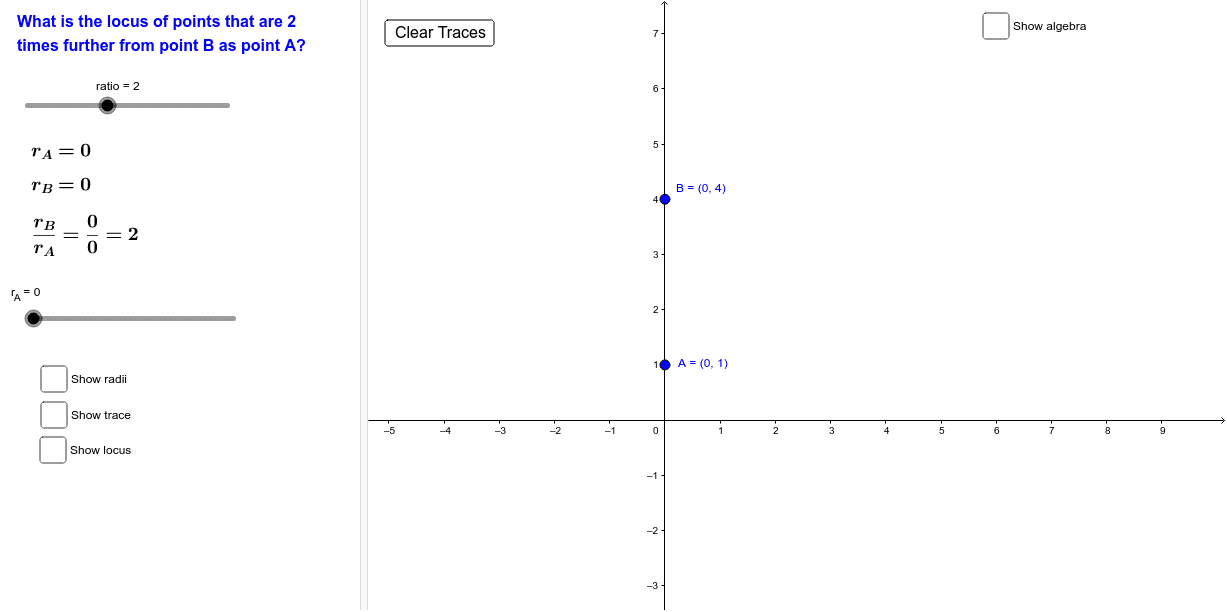
This example demonstrates the construction of the locus between two points. Key mathematical concepts include locus, circles, and linear functions. The construction involves GeoGebra commands such as Circle, Intersect, Segment, and Locus with objects like A, B, r_A, etc. Suitable for middle or high school mathematics courses to understand geometric transformations and properties of shapes.
GeoGebra Commands & Parameters
Circle(A, r_A) → cCircle(B, (ratio * r_A)) → dIntersect(c, d, 1) → CIntersect(c, d, 2) → DSegment(A, C) → aSegment(C, B) → bSegment(A, D) → eSegment(D, B) → fLocus(C, r_A) → loc1Locus(D, r_A) → loc2Segment(B, C'') → d_1Segment(C'', A) → d_2
AI Drawing Prompt Reference
Draw a geometric locus construction: choose two fixed points and introduce a radius parameter and a ratio parameter. Draw one circle centered at the first point with the radius parameter, and another circle centered at the second point with the ratio multiplied by the radius parameter. Let the two circles intersect in two points, and connect each fixed point to each intersection point to form four segments. As the radius parameter varies, trace the loci of the two intersection points. Include one additional point connected to both fixed points by two segments.
The prompt above was compiled from the original drawing commands and is for reference only.