
Lines of Symmetry - Square
Loading the math board and drawing, please wait…
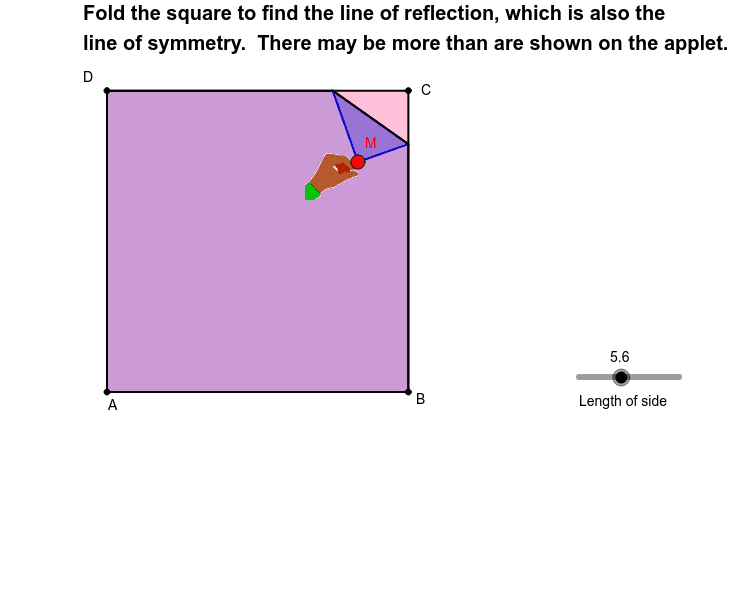
This example demonstrates the symmetry axes of a square. It involves core mathematical concepts such as symmetry, geometric construction, midpoint, line segments, and reflection. GeoGebra commands like Polygon, Line, LineBisector, Intersect, Mirror, Midpoint, Segment, and If are used to construct the figure. It is suitable for middle school and high school students learning geometric transformations, symmetry, and construction techniques, as well as for high school mathematics instruction.
GeoGebra Commands & Parameters
Polygon(A, B, C, D) → poly1, a_1, b_1, d_1, c_1Line(C, B) → jLine(D, C) → kLine(A, B) → lLine(D, A) → mLineBisector(M, C) → cIntersect(c, k) → F_1Intersect(c, l) → GIntersect(c, m) → HIntersect(j, c) → IMirror(B, c) → B'Mirror(D, c) → D'Mirror(A, c) → A'Polygon(M, F_1, I) → poly2, i, e, fPolygon(F_1, D, A, B, I) → poly3, f_1, d, a_2, b_2, i_1Polygon(F_1, M, B', G) → poly4, f_2, e_1, b', gPolygon(F_1, D, A, G) → poly5, f_3, d_2, a_3, g_1Polygon(F_1, M, B', A', H) → poly6, f_4, e_2, b'_1, a', hPolygon(F_1, D, H) → poly7, h_1, f_5, d_3Polygon(H, D', M, I) → poly8, h_2, d', e_3, i_2Polygon(H, A, B, I) → poly9, h_3, a_4, b_3, i_3Polygon(H, D', M, B', G) → poly10, h_4, d'_1, e_4, b'_2, g_2Polygon(H, A, G) → poly11, g_3, h_5, a_5Polygon(G, B, I) → poly13, i_4, g_4, b_4Polygon(G, A', D', M, I) → poly12, n, p, q, r, sMidpoint(D, C) → EMidpoint(A, B) → FSegment(E, F) → tIf(Distance[M, D] ≤ 0.05, 1, 0) → okMidpoint(C, M) → JMidpoint(b_1) → KMidpoint(c_1) → LLine(L, K) → a1Line(E, F) → b1Line(D, B) → bLine(D, B) → c1Line(C, A) → d1
AI Drawing Prompt Reference
Draw a square and display its lines of symmetry. First, draw the four sides of the square. Then, find the midpoint of each side and connect them to form the symmetry axes. Reflect each vertex of the square over the symmetry axes to get new vertices. Finally, draw several smaller squares using these new vertices to demonstrate the symmetry.
The prompt above was compiled from the original drawing commands and is for reference only.