
Lines of Symmetry for a Square
Loading the math board and drawing, please wait…
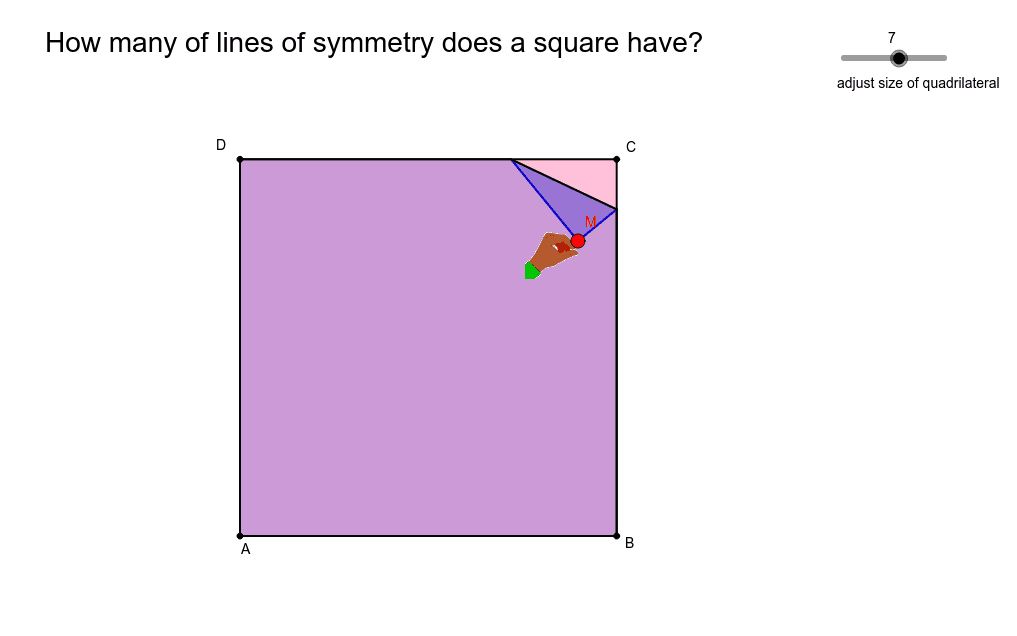
This example demonstrates the lines of symmetry in a square, covering core concepts like symmetry, geometric construction, midpoints, and reflection transformations. It utilizes commands such as Polygon, Line, LineBisector, Intersect, Mirror, Midpoint, Segment, and If. Suitable for middle school and above students to explore geometric transformations and symmetry properties.
GeoGebra Commands & Parameters
Polygon(A, B, C, D) → poly1, a_1, b_1, d_1, c_1Line(C, B) → jLine(D, C) → kLine(A, B) → lLine(D, A) → mLineBisector(M, C) → cIntersect(c, k) → F_1Intersect(c, l) → GIntersect(c, m) → HIntersect(j, c) → IMirror(B, c) → B'Mirror(D, c) → D'Mirror(A, c) → A'Polygon(M, F_1, I) → poly2, i, e, fPolygon(F_1, D, A, B, I) → poly3, f_1, d, a_2, b_2, i_1Polygon(F_1, M, B', G) → poly4, f_2, e_1, b', gPolygon(F_1, D, A, G) → poly5, f_3, d_2, a_3, g_1Polygon(F_1, M, B', A', H) → poly6, f_4, e_2, b'_1, a', hPolygon(F_1, D, H) → poly7, h_1, f_5, d_3Polygon(H, D', M, I) → poly8, h_2, d', e_3, i_2Polygon(H, A, B, I) → poly9, h_3, a_4, b_3, i_3Polygon(H, D', M, B', G) → poly10, h_4, d'_1, e_4, b'_2, g_2Polygon(H, A, G) → poly11, g_3, h_5, a_5Polygon(G, B, I) → poly13, i_4, g_4, b_4Polygon(G, A', D', M, I) → poly12, n, p, q, r, sMidpoint(D, C) → EMidpoint(A, B) → FSegment(E, F) → tIf(Distance[M, D] ≤ 0.05, 1, 0) → okMidpoint(C, M) → JMidpoint(b_1) → KMidpoint(c_1) → LLine(L, K) → a1Line(E, F) → b1Line(D, B) → bLine(D, B) → c1Line(C, A) → d1
AI Drawing Prompt Reference
Draw a square and its lines of symmetry. The square is made of four points, with symmetry axes including the diagonals and midlines. Using reflection transformations, the symmetry of the square can be observed. Ensure the drawing is clear and lines are accurate, suitable for geometric teaching.
The prompt above was compiled from the original drawing commands and is for reference only.