
Linear Transformations
Loading the math board and drawing, please wait…
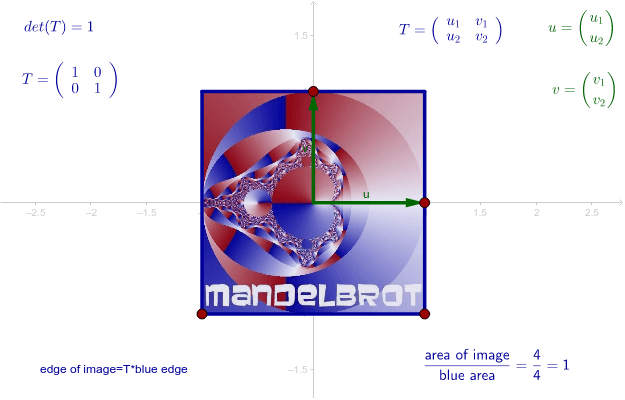
This example demonstrates linear transformations by dragging red points to change vectors or the blue square. Key concepts include vectors, matrices, and geometric transformations. Commands used include Polygon, Intersect, Vector, Determinant, etc. Suitable for high school and above students learning linear algebra and geometric transformations.
GeoGebra Commands & Parameters
Polygon(C, D, 4) → Polygon3, a, h, i, j, E, FIntersect(xAxis, yAxis) → OVector(O, A) → uVector(O, B) → vPolygon(C', D', E', F') → Polygon2, c', d', e', f'Determinant(M) → det
AI Drawing Prompt Reference
Draw a blue square and perform linear transformations around it. First, create two vectors u and v from the origin to two vertices of the square. Then, use these vectors as rows or columns to construct a 2x2 matrix M. Next, calculate the determinant det of matrix M. Finally, drag the square's vertices to observe the effects of vector and matrix transformations.
The prompt above was compiled from the original drawing commands and is for reference only.