
Linear Functions: Quick Modeling Templates
Loading the math board and drawing, please wait…
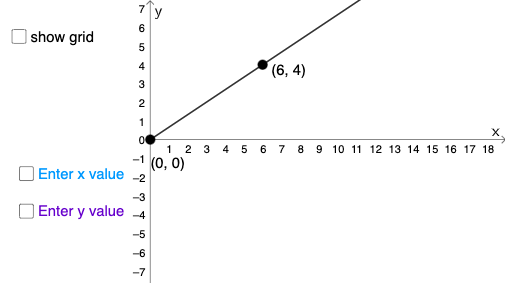
This example demonstrates quick modeling methods for linear functions. Key mathematical concepts include linear equations and functions. Using GeoGebra commands such as PointIn, Line, and Intersect, linear function models can be easily constructed. Suitable for middle school and above students or teachers.
GeoGebra Commands & Parameters
PointIn(x ≥ 0) → APointIn(x ≥ 0) → BLine(A, B) → fIntersect(h, x = x(C)) → DSegment(E, D) → iSegment(C, D) → jIntersect(h, p) → GSegment(G, H) → kSegment(F, G) → lTextfield(q) → InputBox1Textfield(w) → InputBox2
AI Drawing Prompt Reference
Draw a coordinate system to demonstrate quick modeling of linear functions. Mark two points on the x-axis, connect them to form a line. From the intersection point of this line with the x-axis, draw a vertical line and connect it to another point on the line. Add two text boxes for inputting data.
The prompt above was compiled from the original drawing commands and is for reference only.