
Linear Equation Systems Demo by George Cadiente
Loading the math board and drawing, please wait…
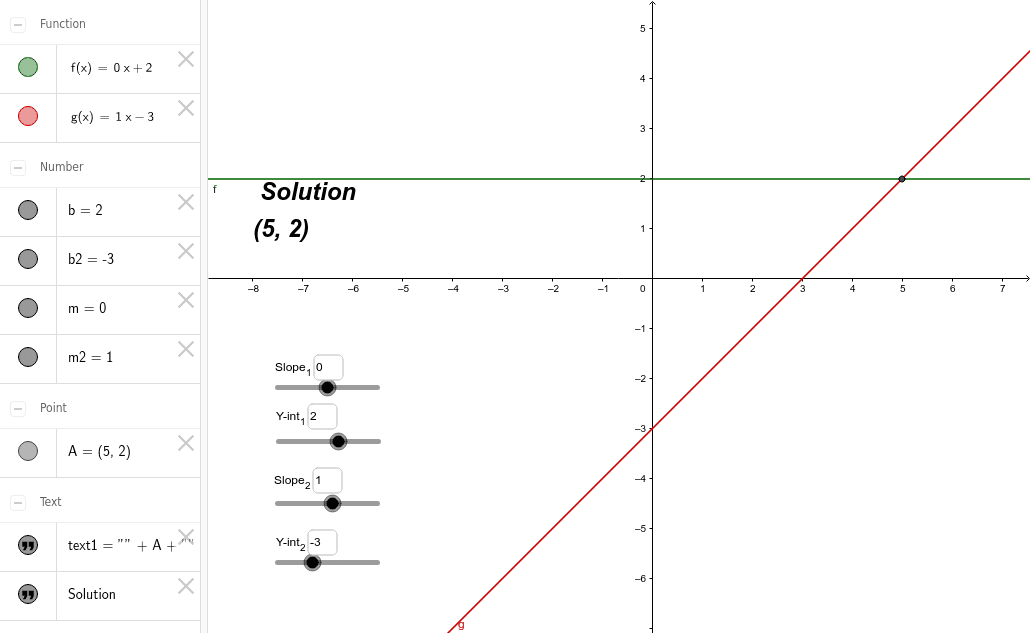
This example demonstrates how to plot two linear equations and find their intersection points using GeoGebra. Core math concepts include linear equations, intersection solving, and analytical geometry. Key construction steps involve using the Intersect command, Textfield for displaying results, and variables m, b, m2, b2 to control line slopes and intercepts. InputBoxes allow user input, while text elements provide information. Suitable for high school mathematics teaching to understand solutions to systems of linear equations and their geometric interpretations.
GeoGebra Commands & Parameters
Intersect(f, g, 1) → ATextfield(m) → InputBox1Textfield(b) → InputBox2Textfield(m2) → InputBox3Textfield(b2) → InputBox4