
Let's Make a Box: From Net to Volume Exploration
Loading the math board and drawing, please wait…
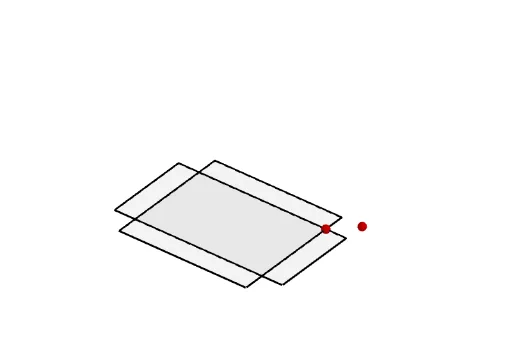
This example demonstrates how to create an open-top box by cutting squares from the corners of a rectangular sheet and folding, then explores how the box's volume changes with the cut size. Core mathematical concepts include volume of rectangular prisms in solid geometry, function modeling, optimization, and the idea of limits. Construction highlights: using GeoGebra commands PointIn, Point, Polygon, and Net to build the planar net, with multiple faces (e.g., faceFGHI, faceFGKJ) and edges (e.g., edgeFG, edgeGH) defined, and a parameter (a) controlling the cut dimension to dynamically visualize volume changes. Suitable for high school (e.g., Algebra 2) to introduce function modeling and optimization, and for pre-calculus to build intuition for limits and derivatives.
GeoGebra Commands & Parameters
PointIn(Polygon[(1, 1, 0), (10, 1, 0), (10, 10, 0), (1, 10, 0)]) → APoint(Ray[A + (1, 1), A + (2, 2)]) → BPolygon(A, Mirror[A, yAxis], ((-x(A)), (-y(A))), Mirror[A, xAxis]) → base, a, f, g, hNet(Prism[base, A + (0, 0, b)], trace) → d, F, O, P, Q, R, S, faceFGHI, faceFGKJ, faceGHML, faceHION, faceFIPQ, G, faceJKRS, edgeFG, edgeGH, edgeHI, edgeFI, edgeFJ, edgeJK, edgeGK, edgeGL, edgeLM, H, edgeHM, edgeHN, edgeNO, edgeIO, edgeIP, edgePQ, edgeFQ, edgeKR, edgeRS, edgeJS, I, J, K, L, M, N
AI Drawing Prompt Reference
Draw an unfolded rectangular sheet with squares cut from each corner, then fold the edges up to form an open-top box. Use a parameter to control the size of the cut squares and show how the volume of the box changes with this parameter. The illustration should include multiple faces and edges, clearly depicting the folding process and the structure of the box.
The prompt above was compiled from the original drawing commands and is for reference only.