
Kite to Rectangle: Area-Preserving Transformation and Limit
Loading the math board and drawing, please wait…
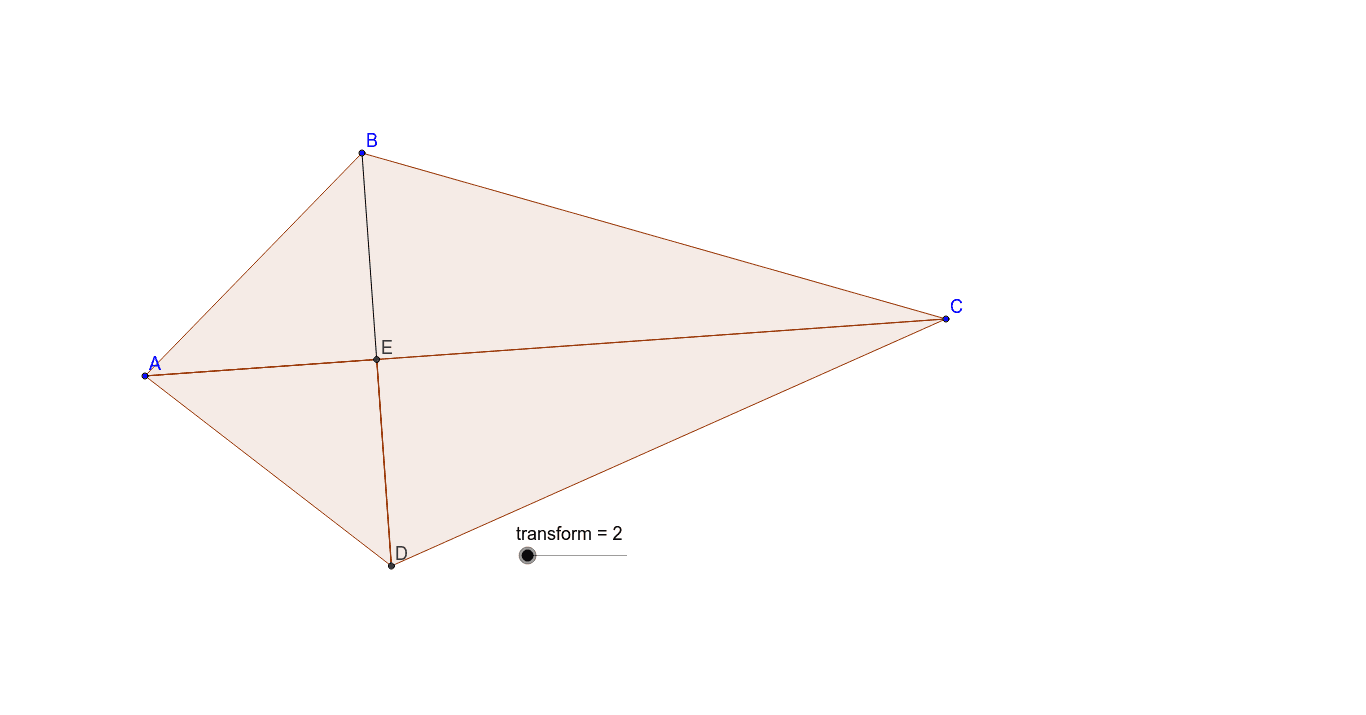
① This GeoGebra example demonstrates how a kite shape can be transformed into a rectangle through rotation and reassembly, visually showing area conservation and the concept of limits. ② Core mathematical concepts include properties of kites, rectangle area, the Pythagorean theorem, limits, sequences and series, arithmetic operations, and surface area equivalence. ③ Construction highlights: from the summary, commands such as Circle, Intersect, Polygon, Segment, OrthogonalLine, Midpoint, and Rotate are used, creating multiple points (A, B, C, D, E, F, G, H, I, J), circles (c, d), polygons (poly1, poly2, poly3, poly4), auxiliary segments (a, b, e, f, g, h, i, j, k, l, m), and transformation objects (transform, D', A', E') to achieve the kite-to-rectangle conversion. ④ Suitable for middle and high school geometry classes, this example helps explain area preservation, a visual proof of the Pythagorean theorem, geometric interpretations of sequences and limits, and dynamic construction techniques in GeoGebra.
GeoGebra Commands & Parameters
Circle(A, B) → cCircle(C, B) → dIntersect(c, d, 2) → DPolygon(A, B, C) → poly1, c_1, a, bSegment(B, D) → eIntersect(b, e) → EPolygon(A, E, D) → poly2, d_1, a_1, e_1Polygon(E, D, C) → poly3, c_2, e_2, d_2OrthogonalLine(A, b) → fOrthogonalLine(B, e) → gIntersect(f, g) → FMidpoint(c_1) → GMidpoint(e_1) → HCircle(H, D) → hCircle(G, A) → kRotate(D, transform°, H) → D'Rotate(A, (-(transform°)), G) → A'Rotate(E, transform°, G) → E'OrthogonalLine(D', e_1) → iOrthogonalLine(A', c_1) → jSegment(F, E) → lOrthogonalLine(E', l) → mIntersect(m, l) → IIntersect(j, c_1) → JPolygon(I, D', J) → poly4, j_1, i_1, d'Intersect(i, e_1) → KPolygon(J, I, K) → poly5, k_1, j_2, i_2OrthogonalLine(C, g) → nIntersect(g, n) → LMidpoint(E, L) → MMidpoint(D, C) → NCircle(N, C) → pCircle(M, C) → qSegment(D, C) → rRotate(D, (-(transform°)), N) → D'_1Rotate(C, transform°, M) → C'Rotate(E, (-(transform°)), M) → E'_1Segment(E, L) → sOrthogonalLine(E'_1, s) → tOrthogonalLine(D'_1, r) → b_1OrthogonalLine(C', a) → f_1Intersect(t, s) → OIntersect(f_1, a) → PIntersect(b_1, r) → QPolygon(P, O, Q) → poly6, q_1, p_1, o
AI Drawing Prompt Reference
Create a geometric diagram illustrating how a kite shape is transformed into a rectangle via rotation and reassembly, emphasizing area preservation and limit concepts. Begin with foundational points to form an initial kite, then use circles, intersections, orthogonal lines, and midpoints to establish key positions. Rotate portions of the kite around specific points by a set angle, and rearrange these segments to assemble a rectangle. The construction involves multiple triangles, polygons, and auxiliary lines, resulting in a clear visual sequence that demonstrates the area-conserving transformation.
The prompt above was compiled from the original drawing commands and is for reference only.