
Kite Shape and Dimensions
Loading the math board and drawing, please wait…
In collections
Folding paper, doing geometry figures
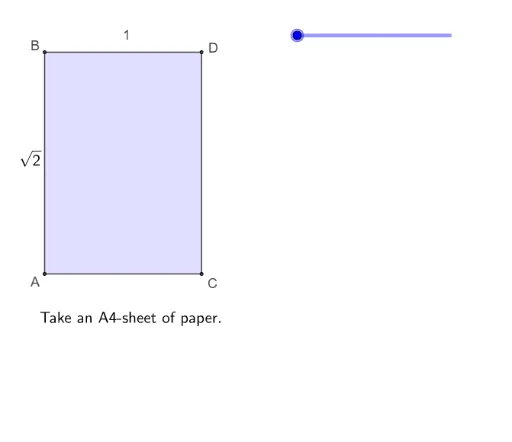
This example demonstrates the geometric construction of a kite shape and its dimensional properties. It involves core mathematical concepts such as polygons, angles, and geometric transformations (rotation, reflection). Key GeoGebra commands used in the construction include Polygon, Segment, CircleArc, Rotate, LineBisector, Intersect, Mirror, and OrthogonalLine. Suitable for high school geometry learning to understand polygon properties and transformation applications.
GeoGebra Commands & Parameters
Polygon(A, C, D, B) → vierhoek1, a, c, d, bSegment(B, E) → fCircleArc(B, DD, D) → ePolygon(A, C, E, B) → vierhoek2, a_1, c_1, e_1, b_1Polygon(B, E, D) → driehoek1, d_1, b_2, e_2Rotate(B, (((s - 1) * 180))°, d_1) → B'Rotate(E, (((s - 1) * 180))°, d_1) → E'Rotate(D, (((s - 1) * 180))°, d_1) → D'Polygon(B', E', D') → driehoek1', d', b', e'Polygon(DD, E, B) → driehoek2, b_3, dd, e_3LineBisector(DD, C) → gIntersect(g, a_1) → FIntersect(g, e_1) → GSegment(F, G) → hCircleArc(D, DD, C) → kPolygon(B, A, F, G) → vierhoek3, b_4, a_2, f_1, g_1Polygon(F, C, E, G) → vierhoek4, f_2, c_2, e_4, g_2Rotate(F, (((-(s - 3)) * 180))°, f_1) → F'Rotate(C, (((-(s - 3)) * 180))°, f_1) → C'Rotate(E, (((-(s - 3)) * 180))°, f_1) → E'_1Rotate(G, (((-(s - 3)) * 180))°, f_1) → G'Polygon(F', C', E'_1, G') → vierhoek4', f', c', e'_1, g'Mirror(E, f_1) → EEPolygon(DD, F, G, EE) → vierhoek5, dd_1, f_3, g_3, eeIntersect(b_3, h) → HPolygon(DD, H, G, B) → vierhoek6, dd_2, h_1, g_4, b_5Segment(DD, H) → iOrthogonalLine(DD, f_1) → jIntersect(j, f_1) → ISegment(DD, I) → lPolygon(B, DD, I, G) → vierhoek7, b_6, dd_3, i_1, g_5Intersect(b_6, dd_3) → JPolygon(J, A, F, I) → vierhoek8, j_1, a_3, f_4, i_2Rotate(J, (((s - 5) * 180))°, i_2) → J'Rotate(A, (((s - 5) * 180))°, i_2) → A'Rotate(F, (((s - 5) * 180))°, i_2) → F'_1Rotate(I, (((s - 5) * 180))°, i_2) → I'Polygon(J', A', F'_1, I') → vierhoek8', j', a', f'_1, i'Polygon(J, I, H) → driehoek3, h_2, j_2, i_3Polygon(DD, I, G, EE) → vierhoek9, dd_4, i_4, g_6, ee_1CircleArc(DD, A, EE) → pSegment(B, D) → mSegment(E, D) → nSegment(DD, C) → qIntersect(q, h) → LAngle(G, L, DD) → αIntersect(f_1, h_1) → MIntersect(i, f_1) → NSegment(N, O) → rSegment(F, C) → tSegment(E, C) → k_1Segment(A, DD) → l_1Segment(A, C) → m_1Segment(B, L) → n_1Segment(I, F) → p_1
AI Drawing Prompt Reference
Draw a kite shape, including quadrilateral ABCD, quadrilateral ABEF, triangle BDE, triangle BDE', quadrilateral BEGF, quadrilateral BEGF', quadrilateral BDEG, quadrilateral BDEG', quadrilateral BDEH, quadrilateral BDEH', quadrilateral BDEI, quadrilateral BDEI', quadrilateral BDEJ, quadrilateral BDEJ', and quadrilateral BDEK. Start by drawing quadrilateral ABCD, then sequentially construct quadrilateral ABEF, triangle BDE, quadrilateral BEGF, quadrilateral BEGF', quadrilateral BDEG, quadrilateral BDEG', quadrilateral BDEH, quadrilateral BDEH', quadrilateral BDEI, quadrilateral BDEI', quadrilateral BDEJ, quadrilateral BDEJ', and quadrilateral BDEK.
The prompt above was compiled from the original drawing commands and is for reference only.