
Kite Exploration: Isosceles Triangles and Perimeter Derivative
Loading the math board and drawing, please wait…
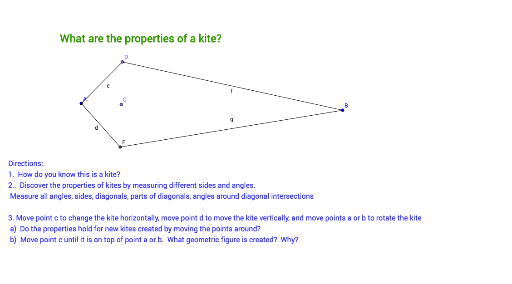
① This GeoGebra example dynamically constructs a kite shape and explores how its perimeter and area change as a vertex moves, introducing the concept of derivative to analyze rates of change. ② Core mathematical concepts include the definition of a kite (two pairs of adjacent equal sides), properties of isosceles triangles, perimeter and area calculations, and using derivatives to study instantaneous rates of change of geometric quantities. ③ Construction details: uses Segment to create base edges, Point for dynamic vertices, OrthogonalLine to construct perpendiculars, Circle and Intersect to determine key points, resulting in the kite with auxiliary lines and text objects (text1, text2) displaying measurements. ④ Suitable for upper secondary or pre-university students, ideal for interdisciplinary exploration linking geometry and calculus, and for teachers demonstrating dynamic geometry combined with derivatives.
GeoGebra Commands & Parameters
Segment(A, B) → aPoint(a) → COrthogonalLine(C, a) → bPoint(b) → DCircle(C, D) → cIntersect(c, b, 2) → ESegment(A, E) → dSegment(A, D) → eSegment(D, B) → fSegment(B, E) → g
AI Drawing Prompt Reference
Draw a dynamic kite showing how its perimeter and area change as a vertex moves, introducing derivatives to analyze rates of change. Include two pairs of adjacent equal sides, isosceles triangles, perimeter and area calculations, and derivative-based instantaneous rate analysis. Start by drawing two edges, finding the vertex, constructing perpendiculars, intersecting a circle with the perpendiculars, and connecting the vertex with intersection points to form the kite, labeling measurements.
The prompt above was compiled from the original drawing commands and is for reference only.