
Kite Dimensions
Loading the math board and drawing, please wait…
In collections
Folding paper, doing geometry figures
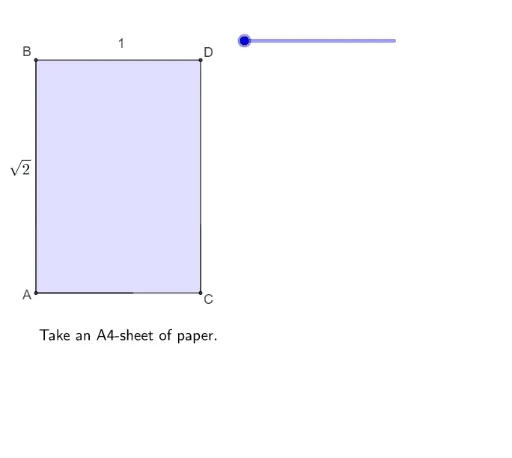
This example demonstrates the dimension relationships of a kite. Key mathematical concepts include kite properties, right triangles, and functions. Using GeoGebra commands such as Polygon, Point, Segment, etc., it illustrates the construction points of a kite. Suitable for middle school and above students or teachers.
GeoGebra Commands & Parameters
Polygon(A, C, D, B) → vierhoek1, a, c, d, bPoint(yAxis) → PSegment(B, E) → fCircleArc(B, DD, D) → ePolygon(B, E, D) → driehoek1, d_1, b_2, e_2Polygon(B, DD, E) → driehoek2, e_3, b_3, ddSegment(E, C) → gSegment(B, E) → hSegment(F, E) → iCircleArc(E, FF, C) → kPolygon(DD, A, F, E) → vierhoek3, dd_1, a_2, f_1, e_4Polygon(F, C, E) → driehoek3, e_5, f_2, c_2Rotate(F, (((-(s - 3)) * 180))°, f_1) → F'Rotate(C, (((-(s - 3)) * 180))°, f_1) → C'Rotate(E, (((-(s - 3)) * 180))°, f_1) → E'_1Polygon(F', C', E'_1) → driehoek3', e'_1, f', c'Polygon(B, DD, E) → driehoek4, e_6, b_4, dd_2Polygon(F, E, DDE) → driehoek5, dde, f_3, e_7Polygon(A, C, E, B) → vierhoek2, a_1, c_1, e_1, b_1Segment(B, D) → jSegment(E, D) → lSegment(F, C) → mSegment(C, E) → nSegment(A, B) → pSegment(E, B) → qSegment(A, F) → rSegment(E, F) → t
AI Drawing Prompt Reference
Draw a kite with four vertices A, B, C, and D, and connect them with line segments. First, draw quadrilateral ABCD, then connect points B and D with line segment BD, and connect points C and D with line segment CD. Use rotation and triangle construction to further refine the kite's shape, ensuring that the diagonals are perpendicular and bisect each other.
The prompt above was compiled from the original drawing commands and is for reference only.