
Kite Area Explorer
Loading the math board and drawing, please wait…
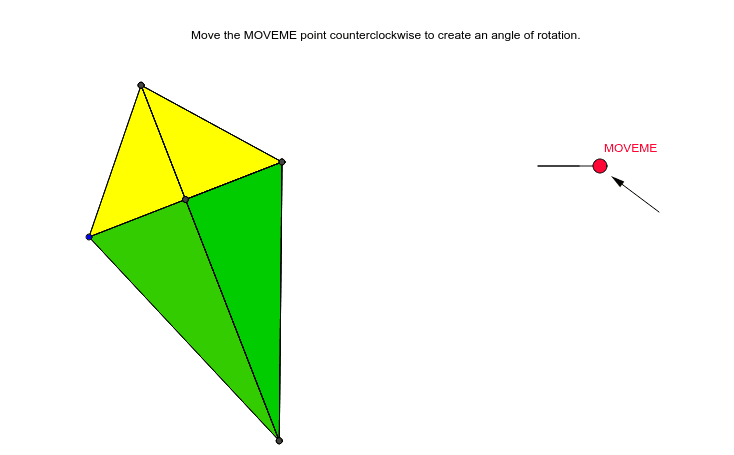
This example demonstrates how to dynamically explore the area calculation of a kite. It involves core mathematical concepts like the properties of a kite's diagonals, Pythagorean theorem, and trigonometric applications. Construction highlights include using commands like Segment, Midpoint, OrthogonalLine, Point, Angle, Polygon, Rotate, and Vector in GeoGebra. Suitable for high school students to learn and understand the derivation of the kite area formula, as well as for mathematical inquiry activities.
GeoGebra Commands & Parameters
Segment(A, B) → aMidpoint(A, B) → COrthogonalLine(C, a) → bPoint(b) → DPoint(b) → ESegment(D, E) → cSegment(A, D) → dSegment(B, D) → eSegment(B, E) → fSegment(A, E) → gAngle(F, G, MOVEME) → αSegment(G, F) → hSegment(G, MOVEME) → iPolygon(D, C, B) → poly1, b_1, d_1, c_1Rotate(D, α, D) → D'Polygon(C, B, E) → poly2, e_1, c_2, b_2Rotate(E, α, E) → E'Midpoint(f) → IMidpoint(e) → JRotate(D, α, J) → D'_1Rotate(C, α, J) → C'Rotate(B, α, J) → B'Polygon(D'_1, C', B') → poly1', b', d'_1, c'Rotate(C, α, I) → C'_1Rotate(B, α, I) → B'_1Rotate(E, α, I) → E'_1Polygon(C'_1, B'_1, E'_1) → poly2', e'_1, c'_1, b'_1Polygon(A, D, C) → poly3, c_3, a_1, d_2Polygon(A, C, E) → poly4, e_2, a_2, c_4Vector(H, K) → u
AI Drawing Prompt Reference
Draw a kite ABCD, connect its diagonals AC and BD, and find their intersection point O. Construct a perpendicular line to AC through O, intersecting BD at points E and F. Connect E and F to form segment EF. Then, rotate segment EF and points E and F around point D to form a new kite D'E'F'. Finally, connect points A, D, C and B, E, C to form two triangles.
The prompt above was compiled from the original drawing commands and is for reference only.