
Kaleidoscope by Michael Borcherds
Loading the math board and drawing, please wait…
In collections
Jessica's Fraction Book
Flip & turn
The Best Math Book in the World
Transformations of the plane
Cool Things from Geogebra
Yr 8 Reflection
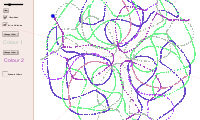
This example demonstrates the creation of kaleidoscope patterns using principles of reflection, rotation, and symmetry. It involves core math concepts like reflection, rotation, symmetry, angles, geometric mean, 2D vectors, and triangles. Construction highlights include commands like Sequence, Corner, Polygon, and Circle. Suitable for high school mathematics education to understand transformations and symmetry.
GeoGebra Commands & Parameters
Sequence(Rotate[y = x, i * 180 * ° / n], i, 1, n) → linesCorner(1) → BCorner(4) → EPolygon(B, C, D, E) → poly1, b_1, c_1, d, eCircle(A, radius) → AASequence(Mirror[AA, Element[lines, i]], i, 1, n) → points1Sequence(Rotate[AA, i * 360 * ° / n], i, 1, n) → points2
AI Drawing Prompt Reference
Create a kaleidoscope pattern using rotation and reflection to achieve symmetry. Start by drawing several perpendicular lines, then form a regular polygon using their intersection points as vertices. Next, draw a circle centered at the intersection point and mirror and rotate this circle along each side of the polygon to create a complex symmetric design. A slider can be used to adjust the complexity and symmetry of the pattern.
The prompt above was compiled from the original drawing commands and is for reference only.