
Isosceles Triangles and Equal Angles
Loading the math board and drawing, please wait…
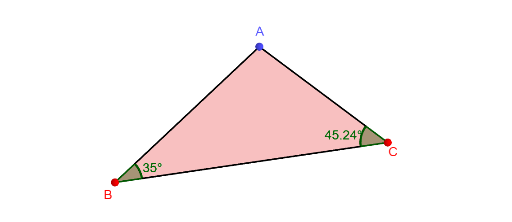
This example demonstrates the properties of an isosceles triangle when its base angles are equal. The key mathematical concepts include the property that equal angles correspond to equal sides, the sum of interior angles in a triangle, and geometric construction techniques. The construction involves using GeoGebra commands such as PointIn, Polygon, Intersect, Segment, Rotate, and Angle to create the triangle and verify the equal angle property. This is suitable for middle or high school mathematics education to understand basic triangle properties and geometric construction skills.
GeoGebra Commands & Parameters
PointIn(b) → BPointIn(c) → CPolygon(A, B, C) → t3, c_1, a, b_1Intersect(a, OrthogonalLine[A, a, space]) → DSegment(A, D) → fRotate(CircleSector[C, C + (0.7 * UnitVector[Segment[C, A]]), D, xOyPlane], (180° * t2), f) → dRotate(CircleSector[B, B + (0.7 * UnitVector[Segment[B, A]]), D], (-180° * t1), f) → eRotate(Polygon[{A, D, C}], (180° * t2), f) → t4Rotate(Polygon[{A, D, B}], (-180° * t1), f) → t5Angle(C, D, A) → αAngle(A, C, B, space) → βAngle(A, B, C, space) → γ
AI Drawing Prompt Reference
Draw an isosceles triangle to demonstrate the property that equal angles correspond to equal sides. Start by constructing a triangle and find the perpendicular bisector of one side to locate the apex. Then, use rotation to create two congruent triangles, combining them with the original to form new shapes. Finally, label the three interior angles and verify that the base angles are equal.
The prompt above was compiled from the original drawing commands and is for reference only.