
Isosceles Trapezoid by Sierra Clegg
Loading the math board and drawing, please wait…
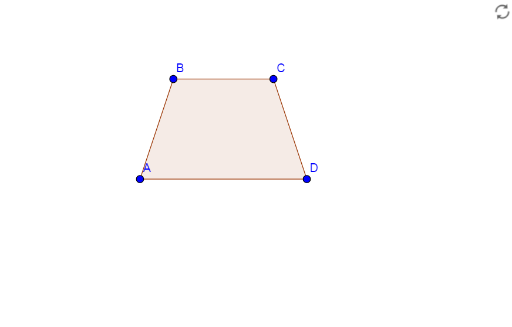
This example demonstrates the construction of an isosceles trapezoid. An isosceles trapezoid is a special type of trapezoid with two equal non-parallel sides. Using the GeoGebra command Polygon, we can easily construct an isosceles trapezoid. The example also shows how to use GeoGebra objects such as points A, B, C, and D to build geometric shapes. Suitable for middle school and above students to learn geometric construction.
GeoGebra Commands & Parameters
Polygon(A, B, C, D) → poly1, a, b, c, d
AI Drawing Prompt Reference
Draw an isosceles trapezoid with four vertices A, B, C, and D. Start by placing points A and B for the bases, then place points C and D for the non-parallel equal sides. Use the polygon tool to connect these four points and form an isosceles trapezoid.
The prompt above was compiled from the original drawing commands and is for reference only.