
Islamic Polygons
Loading the math board and drawing, please wait…
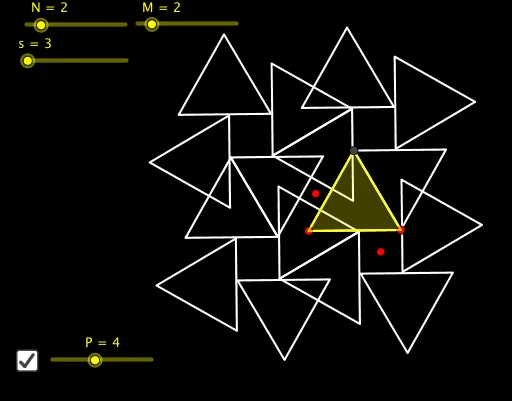
This example demonstrates Islamic tiling patterns through geometric transformations, showcasing complex polygonal designs. Key math concepts include polygons, rotation, trapezoids, algebra, angles, polynomial functions, and Poisson distribution. GeoGebra commands like Polygon and Sequence are used, along with objects such as s, B, A, poly1, f, g, h, i, j, k, l, m, n, p, q, r, C, D, E, H, I, J, K, L, O, Q, F, N, l1, M, l2, G, P, l3, a. Suitable for high school and above, exploring geometric transformations in art and design.
GeoGebra Commands & Parameters
Polygon(A, B, s) → poly1, f, p, q, r, C, D, E, H, I, J, K, g, L, O, Q, h, i, j, k, l, m, nSequence(Rotate[poly1, (i * (360°) / N), F], i, 0, N - 1) → l1Sequence(Rotate[l1, (i * (360°) / ((N * M))), F], i, 0, M - 1) → l2Sequence(Rotate[l2, (i * (360°) / P), G], i, 0, P - 1) → l3
AI Drawing Prompt Reference
Create an Islamic geometric pattern composed of multiple rotated polygons. Start by creating a polygon poly1 using points A, B, and s. Then, rotate poly1 around point F to generate a series of rotated polygons l1. Next, rotate l1 around point F to generate multiple layers of rotated polygons l2. Finally, rotate l2 around point G to generate the final multi-layered rotated polygons l3.
The prompt above was compiled from the original drawing commands and is for reference only.