
Intuitive Introduction to Volume
Loading the math board and drawing, please wait…
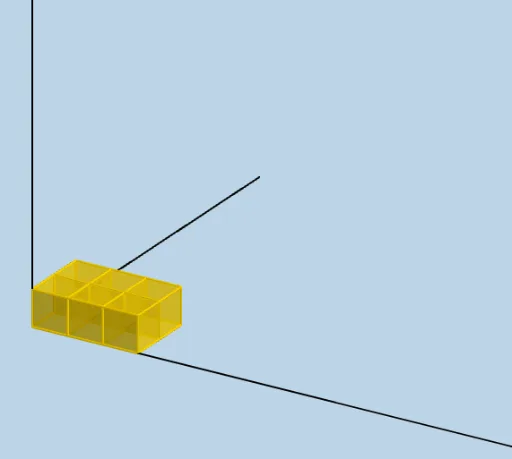
This example demonstrates the calculation of prism volume through dynamic visualization. Key math concepts include volume, prism, and integral calculus. Construction highlights involve commands like Sequence and Ray, along with objects such as LENGTH, WIDTH, and HEIGHT. Suitable for high school students learning solid geometry and calculus.
GeoGebra Commands & Parameters
Sequence(Cube[(i, 0, 0), (i + 1, 0, 0), Point[Circle[(i + 1, 0, 0), Distance[(i, 0, 0), (i + 1, 0, 0)], Segment[(i, 0, 0), (i + 1, 0, 0)]]]], i, 0, LENGTH - 1, 1) → L_1Sequence(Cube[(1, i, 0), (1, i + 1, 0), Point[Circle[(1, i + 1, 0), Distance[(1, i, 0), (1, i + 1, 0)], Segment[(1, i, 0), (1, i + 1, 0)]]]], i, 1, WIDTH - 1, 1) → L_2Sequence(Sequence[Translate[Element[L_1, i], Vector[(0, j)]], j, 1, WIDTH - 1, 1], i, 2, LENGTH, 1) → L_4Sequence(Translate[L_4, Vector[(0, 0, i)]], i, 1, HEIGHT - 1, 1) → L_5Sequence(Translate[L_1, Vector[(0, 0, i)]], i, 1, HEIGHT - 1, 1) → L_6Sequence(Translate[L_2, Vector[(0, 0, i)]], i, 1, HEIGHT - 1, 1) → L_7Ray((0, 0, 0), (1, 0, 0)) → fRay((0, 0, 0), (0, 1, 0)) → gRay((0, 0, 0), (0, 0, 1)) → h
AI Drawing Prompt Reference
Create a dynamic visualization showing the calculation of prism volume, highlighting key math concepts like volume, prism, and integral calculus. Start by drawing a base made of multiple cubes connected by edges, determined by length and width. Then translate the base along the width to form the sides, and stack these translations along the height to build the complete prism. Add three rays pointing along the positive x, y, and z axes to indicate the spatial coordinate system.
The prompt above was compiled from the original drawing commands and is for reference only.