
Introduction to Circle Equations by Gareth Daniels
Loading the math board and drawing, please wait…
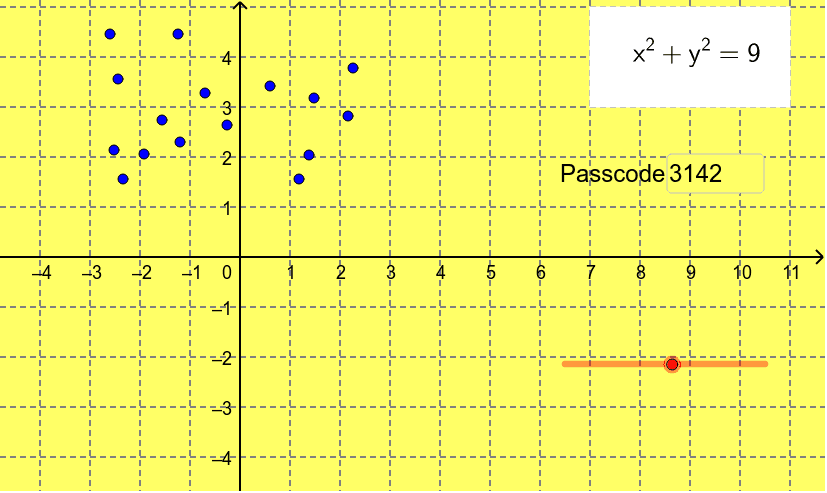
This example demonstrates how to draw a circle using points and radius, and shows its equation. Key math concepts include circle definition, equation forms, and coordinate geometry. Construction highlights the use of GeoGebra commands like Segment, Point, Angle, Textfield, and Polygon. Suitable for middle school and above students learning circle equations and geometric constructions.
GeoGebra Commands & Parameters
Segment(Q, A) → aSegment(Q, B) → bSegment(Q, C) → cSegment(Q, D) → dSegment(Q, E) → eSegment(Q, F) → fSegment(Q, G) → gSegment(Q, H) → hSegment(Q, I) → iSegment(Q, J) → jSegment(Q, K) → kSegment(Q, L) → lSegment(Q, M) → mSegment(Q, N) → nSegment(Q, O) → oSegment(Q, P) → pPoint(circ) → cirptSegment(Q, cirpt) → qSegment(cirpt, R) → rSegment(R, Q) → sAngle(Q, R, cirpt) → αTextfield(pasword) → inputBox1Polygon(S, T, U, V) → poly1, s_1, t_1, u, v
AI Drawing Prompt Reference
Draw a circle by points and radius, showing its equation. Start by drawing two line segments, then determine the center of the circle and connect it to a point on the circumference to form the circle. Label the center, radius, and points on the circle, and display the equation of the circle. Finally, use the polygon tool to connect the center and points on the circumference, forming the interior shape of the circle.
The prompt above was compiled from the original drawing commands and is for reference only.