
Intersection of Plane and Line
Loading the math board and drawing, please wait…
In collections
学习 GeoGebra 经典应用
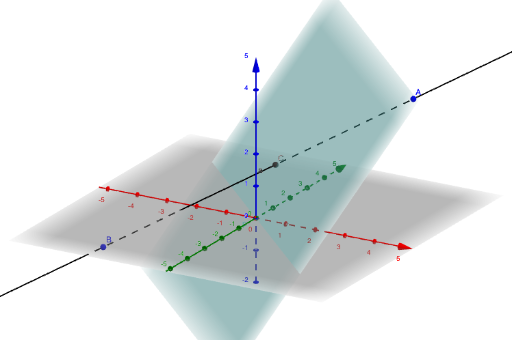
This example demonstrates the intersection point between a plane and a line in 3D space and its dynamic changes. Core mathematical concepts include spatial geometry, vector operations, and analytical geometry. Construction highlights involve using the Line command to draw the line, the Intersect command to calculate the intersection, with objects including point p, points A and B, vector a, and point C. Suitable for high school students and above learning solid geometry, vectors, and analytical geometry, as well as university-level foundational mathematics education.
GeoGebra Commands & Parameters
Line(B, A) → aIntersect(a, p) → C
AI Drawing Prompt Reference
In three-dimensional space, first define a plane, then take two points not on that plane and use these two points to determine a line. Construct the intersection point between this line and the plane, and observe how the intersection point changes dynamically when the line or plane moves.
The prompt above was compiled from the original drawing commands and is for reference only.