
Intersection of a Prism and a Plane
Loading the math board and drawing, please wait…
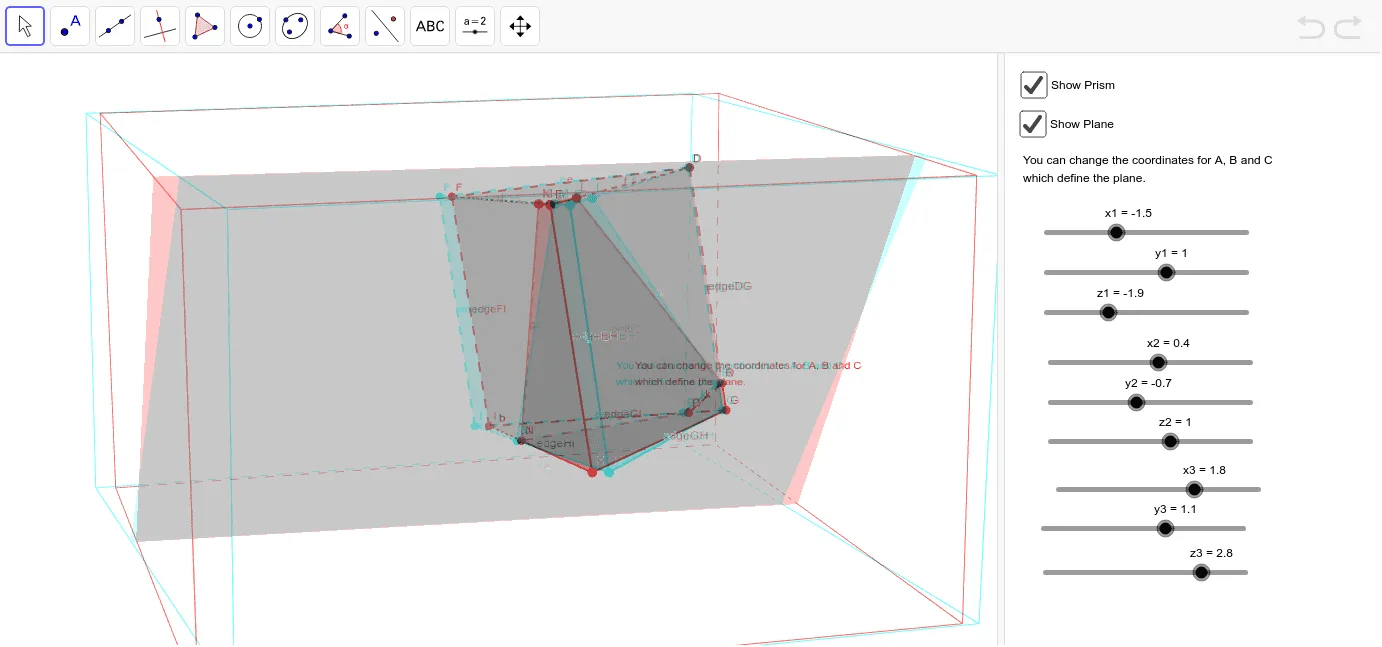
This example demonstrates the cross section formed by the intersection of a prism and a plane. Key mathematical concepts include solid geometry, specifically prisms and cross sections. Using GeoGebra commands such as Plane, Polygon, and IntersectPath, the example dynamically shows how the cross section changes. Suitable for high school geometry education or self-study.
GeoGebra Commands & Parameters
Textfield() → inputBox1Textfield() → inputBox2Textfield() → inputBox3Plane(A, B, C) → aPolygon(D, E, F) → poly1, f, d, ePrism(poly1, 5) → b, G, edgeFI, edgeGH, edgeHI, edgeGI, H, I, faceDEHG, faceEFIH, faceDFIG, faceGHI, edgeDG, edgeEHIntersectPath(a, faceEFIH) → cIntersect(a, faceEFIH) → J, KIntersectPath(a, poly1) → gIntersectPath(a, b) → poly2, L, m, M, N, Q, R, h, i, j, lIntersectPath(a, faceDFIG) → kIntersect(a, faceDFIG) → O, P
AI Drawing Prompt Reference
Draw the intersection of a prism and a plane. First, create a plane, then create a pentagon and use it to construct a prism. Show the cross-section by intersecting the plane with the prism. Finally, display the intersection lines by intersecting the plane with each face of the prism.
The prompt above was compiled from the original drawing commands and is for reference only.