
Intersected Planes
Loading the math board and drawing, please wait…
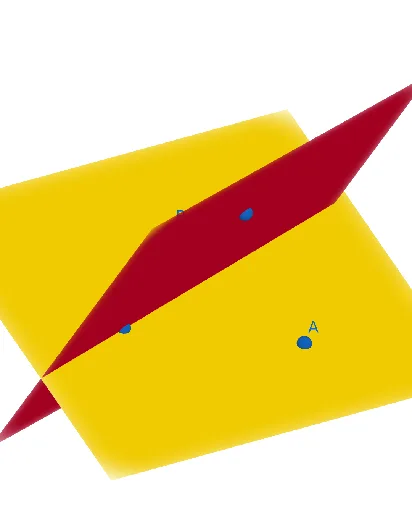
This example demonstrates the geometric figure and properties formed by the intersection of two planes. Core math concepts include solid geometry involving planes, intersection lines, and spatial visualization. Construction highlights: the Plane command is used to create planes, and objects like A, B, C, p, D, E, F, q represent key points and geometric elements. Suitable for high school solid geometry teaching to intuitively understand plane intersections and spatial relationships.
GeoGebra Commands & Parameters
Plane(A, B, C) → pPlane(E, F, D) → q
AI Drawing Prompt Reference
Draw the intersection line of two planes. First, create points A, B, and C, then use these points to create the first plane. Next, create points D, E, and F, and use these points to create the second plane. Observe the intersection line of the two planes.
The prompt above was compiled from the original drawing commands and is for reference only.