
Interpreting a Histogram About a Popcorn Party
Loading the math board and drawing, please wait…
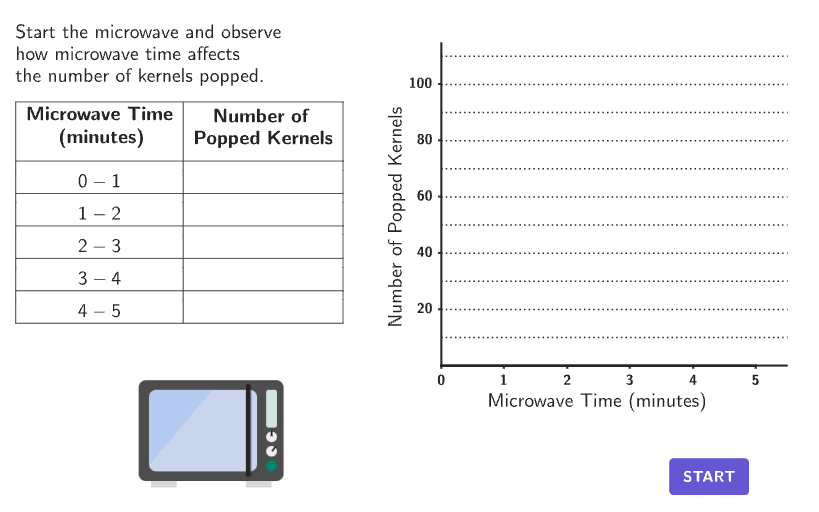
This GeoGebra example simulates popcorn kernels popping in a microwave, dynamically displaying the data in both a table and a histogram. It focuses on the statistical concept of histograms: how data is grouped into bins, how frequencies are represented by bar heights, and how to interpret the overall distribution shape, including peaks and declining trends. The construction uses GeoGebra commands such as Sequence, Take, Zip, Polygon, Corner, TableText, twoPointBox, and VerticalText, along with objects like timer, shake, countQuestion, and Bar1a_1 through Bar5a_1 to generate random popping events and render the histogram interactively. Input boxes and buttons allow users to change parameters and answer open-ended questions. Designed for grades 6-8, this resource helps students organize, display, and interpret information in histograms, making it ideal for classroom exploration or self-paced learning in probability and statistics.
GeoGebra Commands & Parameters
Sequence(Random[0, 99] / 100, A, 1, 200) → allRandomSeeds, {0.43, 0.17, 0.44, 0.14, 0.65, 0.09, 0.54, 0.88, 0.17, 0.6, 0.03, 0.89, 0.38, 0.76, 0.34, 0.16, 0.01, 0.64, 0.58, 0.32, 0.92, 0.72, 0.46, 0.65, 0.48, 0.53, 0.42, 0.34, 0.85, 0.81, 0.55, 0.55, 0.35, 0.19, 0.57, 0.51, 0.5, 0.08, 0.3, 0.13, 0.92, 0.59, 0.87, 0.37, 0.4, 0.38, 0.27, 0.67, 0.07, 0.86, 0.88, 0.55, 0.62, 0.04, 0.83, 0.43, 0.46, 0.34, 0.24, 0.1, 0.28, 0.5, 0.87, 0.41, 0.77, 0.1, 0.17, 0.73, 0.19, 0.54, 0.22, 0.06, 0.99, 0.11, 0.29, 0.51, 0.09, 0.84, 0.98, 0.02, 0.34, 0.55, 0.2, 0.17, 0.01, 0.73, 0.78, 0.71, 0.82, 0.19, 0.33, 0.02, 0.53, 0.02, 0.57, 0.46, 0.02, 0.94, 0.73, 0.93, 0.58, 0.99, 0.69, 0.93, 0.56, 0.33, 0.54, 0.3, 0.91, 0.5, 0.89, 0.86, 0.13, 0.22, 0.66, 0.78, 0.85, 0.19, 0.51, 0.28, 0.1, 0.91, 0.68, 0.82, 0.55, 0.36, 0.34, 0.02, 0.68, 0.58, 0.21, 0.29, 0.55, 0.08, 0.65, 0.76, 0.33, 0.92, 0.32, 0.28, 0.8, 0.97, 0.77, 0.34, 0.48, 0.64, 0.77, 0.06, 0.69, 0.11, 0.94, 0.86, 0.8, 0.27, 0.94, 0.18, 0.6, 0.6, 0.06, 0.72, 0.13, 0.91, 0.08, 0.46, 0.04, 0.11, 0.04, 0.75, 0.17, 0.21, 0.35, 0.51, 0.01, 0.63, 0.66, 0.62, 0.36, 0.81, 0.77, 0.65, 0.47, 0.19, 0.2, 0.1, 0.8, 0.82, 0.79, 0.02, 0.1, 0.02, 0.74, 0.2, 0.81, 0.48, 0.83, 0, 0.79, 0.42, 0.52, 0.81}Take(allRandomSeeds, randIndex, randIndex + numRandoms - 1) → currentRandomSeedsZip(If[timer > A, ("" * B), ""], A, {0, 1, 2, 3, 4}, B, randomFreq2) → randomFreq2DispSequence(If[timer < A, 0, timer > A + 1, 1, timer - A], A, 0, 4) → timerBarPolygon(Zip[PixelsToPoint[Corner[1], Corner[3], Corner[5], A], A, {(pixelsLeft, pixelsTop), (pixelsLeft, y(Corner[5]) - pixelsBottom), Corner[5] - (pixelsRight, pixelsBottom), (x(Corner[5]) - pixelsRight, pixelsTop)}]) → borderBoxCorner(5) → layoutAppSizeTableText({"\text\bold{Microwave Time\\ (minutes)}", "\\0-1", "\\1-2", "\\2-3", "\\3-4", "\\4-5"}, Append["\text\bold{ Number of\\Popped Kernels}", randomFreq2Disp], "|_vc") → tableFreqtwoPointBox(Bar1a_{1}, Bar1b_{1}) → bar1_{1}twoPointBox(Bar2a_{1}, Bar2b_{1}) → bar2_{1}twoPointBox(Bar3a_{1}, Bar3b_{1}) → bar3_{1}twoPointBox(Bar4a_{1}, Bar4b_{1}) → bar4_{1}twoPointBox(Bar5a_{1}, Bar5b_{1}) → bar5_{1}Zip(twoPointBox[CLIPBOARDmagicSTRINGA, CLIPBOARDmagicSTRINGB], CLIPBOARDmagicSTRINGA, {Bar1a_{1}, Bar2a_{1}, Bar3a_{1}, Bar4a_{1}, Bar5a_{1}}, CLIPBOARDmagicSTRINGB, {Bar1b_{1}, Bar2b_{1}, Bar3b_{1}, Bar4b_{1}, Bar5b_{1}}) → barOutlines_{1}VerticalText("Number of Popped Kernels") → labelY_{1}Sequence(Text[("" * A), (0, 0) + (A, 0), true, true, 0, -1], A, 0, 5, 1) → questionNumbersX_{1}Sequence(Segment[(0, A), (5.5, A)], A, 10, maxY, 10) → horizGrids_{1}Polygon({(-0.1, -3), (5.5, -3), (5.5, maxFreq + 5), (-0.1, maxFreq + 5)}) → viewBoxZip(Text[("" * CLIPBOARDmagicSTRINGA), (0, 2) + (0, CLIPBOARDmagicSTRINGA), true, true, -1, 0], CLIPBOARDmagicSTRINGA, Sequence[20, (ceil(Max[Append[22, randomFreq]] / 2) * 10), 20]) → questionNumbersY_{1}Take(Join[{popsAll, popsAll}], Mod[timerPop, Length[popsAll]] + 1, Mod[timerPop, Length[popsAll]] + 10) → popsPosZip(Translate[popcorn, Vector[E, ZZ]], ZZ, popsPos) → pops
AI Drawing Prompt Reference
Draw a histogram simulating popcorn popping in a microwave. Include a table showing microwave time in minutes and the number of popped kernels, along with five histogram bars representing different time intervals. Add labels above the bars, an axis below, gaps between bars, and vertical text above the bars. The layout should be clear, with bar heights representing kernel counts, and the table corresponding to time and counts. The overall graphic should clearly show the data distribution.
The prompt above was compiled from the original drawing commands and is for reference only.