
Interactive Whole Number Division Practice
Loading the math board and drawing, please wait…
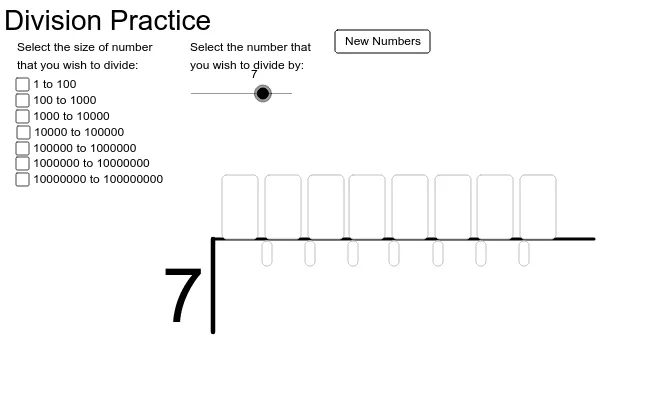
This GeoGebra example demonstrates the construction of an interactive practice tool for whole-number division, visualizing mathematical distribution and grouping through geometric constructs. The core mathematical concepts involved include whole-number arithmetic, division algorithms, random number generation, and basic probability distributions. To construct this applet, key GeoGebra commands and objects are utilized: the Random command generates varied numerical problems; Segment and Polygon commands are used to create visual geometric representations of quantities; Textfield and input objects like inputBox1 and inputBox2 capture user inputs for interactive testing; and custom buttons like button1 manage the logic flow. This applet is highly suitable for elementary and middle school students looking to reinforce arithmetic skills, as well as for educators seeking templates for interactive math worksheets.
GeoGebra Commands & Parameters
Random(1, 10) → aRandom(10, 100) → bRandom(100, 1000) → cRandom(1000, 10000) → dRandom(10000, 100000) → eRandom(100000, 1000000) → fRandom(1000000, 10000000) → gSegment(A, B) → pSegment(B, C) → qTextfield(c_1) → inputBox1Textfield(c_2) → inputBox2Textfield(c_3) → inputBox3Textfield(c_4) → inputBox4Textfield(c_5) → inputBox5Textfield(c_6) → inputBox6Textfield(c_7) → inputBox7Textfield(c_8) → inputBox8Textfield(r_1) → inputBox9Textfield(r_2) → inputBox10Textfield(r_3) → inputBox11Textfield(r_4) → inputBox12Textfield(r_5) → inputBox13Textfield(r_6) → inputBox14Textfield(r_7) → inputBox15Polygon(D, E, F, G) → poly1, d_1, e_1, f_1, g_1
AI Drawing Prompt Reference
Draw a geometric figure consisting of multiple line segments connected at points. Include text boxes to display numbers. Ensure the layout is clear for observation.
The prompt above was compiled from the original drawing commands and is for reference only.