
Interactive Square Construction and Properties Exploration
Loading the math board and drawing, please wait…
In collections
The GeoGebra's Toolbox for Teachers and Students
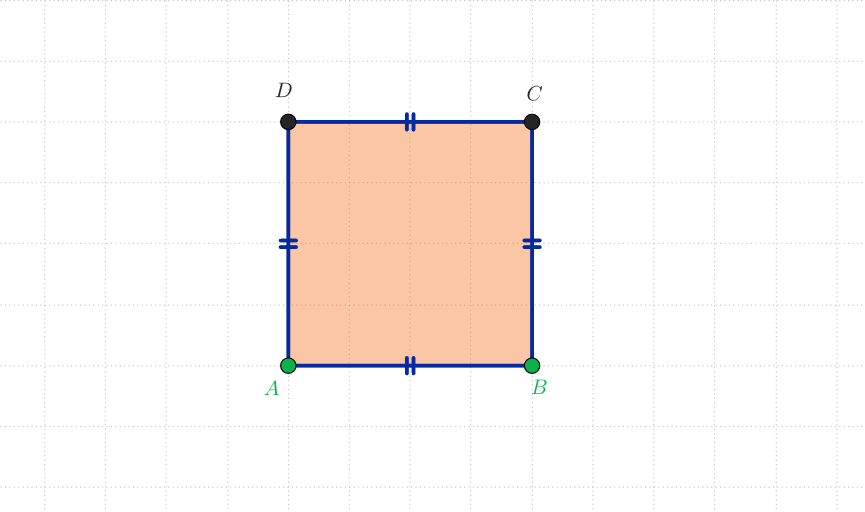
This GeoGebra example demonstrates the interactive construction of a square. Using the Polygon command with points A and B as endpoints, the applet automatically generates vertices C and D along with four sides a, b, c, d. The core mathematical concepts include the definition of a square (four equal sides with all angles equal to 90°), quadrilateral classification, and geometric construction principles. This resource is suitable for upper elementary to middle school geometry teaching, allowing students to drag vertices and observe the invariance of side lengths and angles. It helps students understand that a square is a special type of rectangle and rhombus, making it an excellent tool for developing geometric intuition and inquiry-based learning in geometry education.
GeoGebra Commands & Parameters
Polygon(A, B, 4) → poli1, a, b, c, d, C, D
AI Drawing Prompt Reference
Place two points A and B on a plane as endpoints of a base segment. Using the segment AB, interactively construct a square by creating two additional vertices C and D so that A, B, C, and D form a quadrilateral in order. Display the four sides (labeled as a, b, c, and d) corresponding to AB, BC, CD, and DA. Ensure it matches the definition of a square: all four sides are equal in length and each interior angle is 90°. Allow the key vertices (especially C and D, and as needed A and B) to be draggable so students can observe the side lengths and right angles remain invariant.
The prompt above was compiled from the original drawing commands and is for reference only.