
Interactive Rhombus Demo
Loading the math board and drawing, please wait…
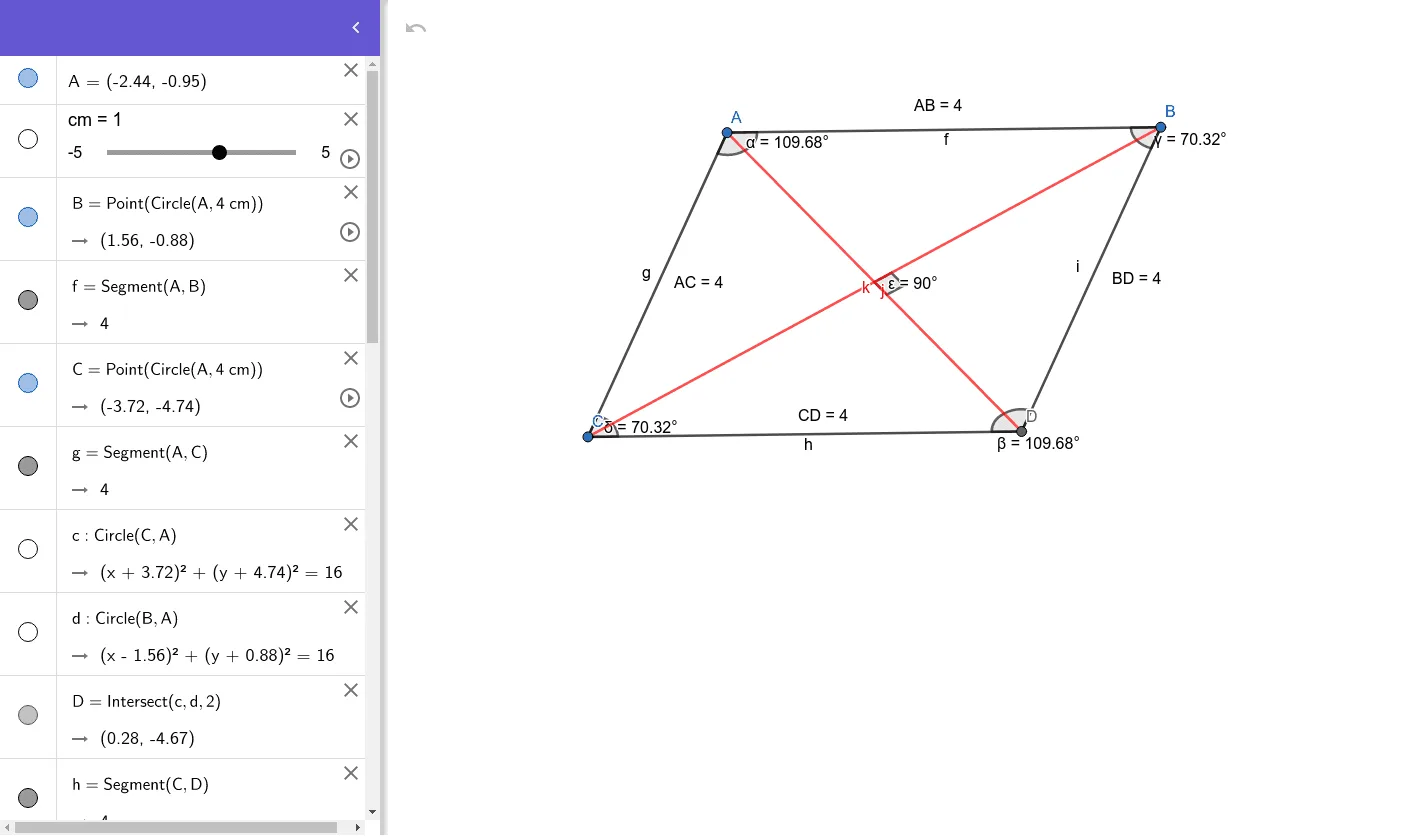
This example demonstrates the geometric properties and transformations of a rhombus interactively. It involves core math concepts like polygons, angles, distance calculations, and geometric transformations (translation). GeoGebra commands and objects such as points, segments, circles, intersections, angles, and distances are used in the construction. Suitable for middle school and above students to understand rhombus properties and geometric constructions.
GeoGebra Commands & Parameters
Point(Circle[A, (4 * cm)]) → BSegment(A, B) → fPoint(Circle[A, (4 * cm)]) → CSegment(A, C) → gCircle(C, A) → cCircle(B, A) → dIntersect(c, d, 2) → DSegment(C, D) → hSegment(B, D) → iAngle(C, A, B) → αAngle(B, D, C) → βAngle(A, B, D) → γAngle(D, C, A) → δDistance(A, B) → distanceABDistance(A, C) → distanceACDistance(C, D) → distanceCDDistance(B, D) → distanceBDSegment(C, B) → jSegment(A, D) → kAngle(k, j) → ε
AI Drawing Prompt Reference
Draw a rhombus by first drawing a circle centered at A with a radius of 4 cm, then selecting points B and C on the circle, connecting A to B and A to C to form two sides. Draw circles centered at B and C, and find their intersection with the circle centered at A to get point D. Connect C to D and B to D to form the other two sides of the rhombus. Measure and display the angles and lengths of all sides.
The prompt above was compiled from the original drawing commands and is for reference only.