
Interactive Rhombus Demo by Yingxiang Xu
Loading the math board and drawing, please wait…
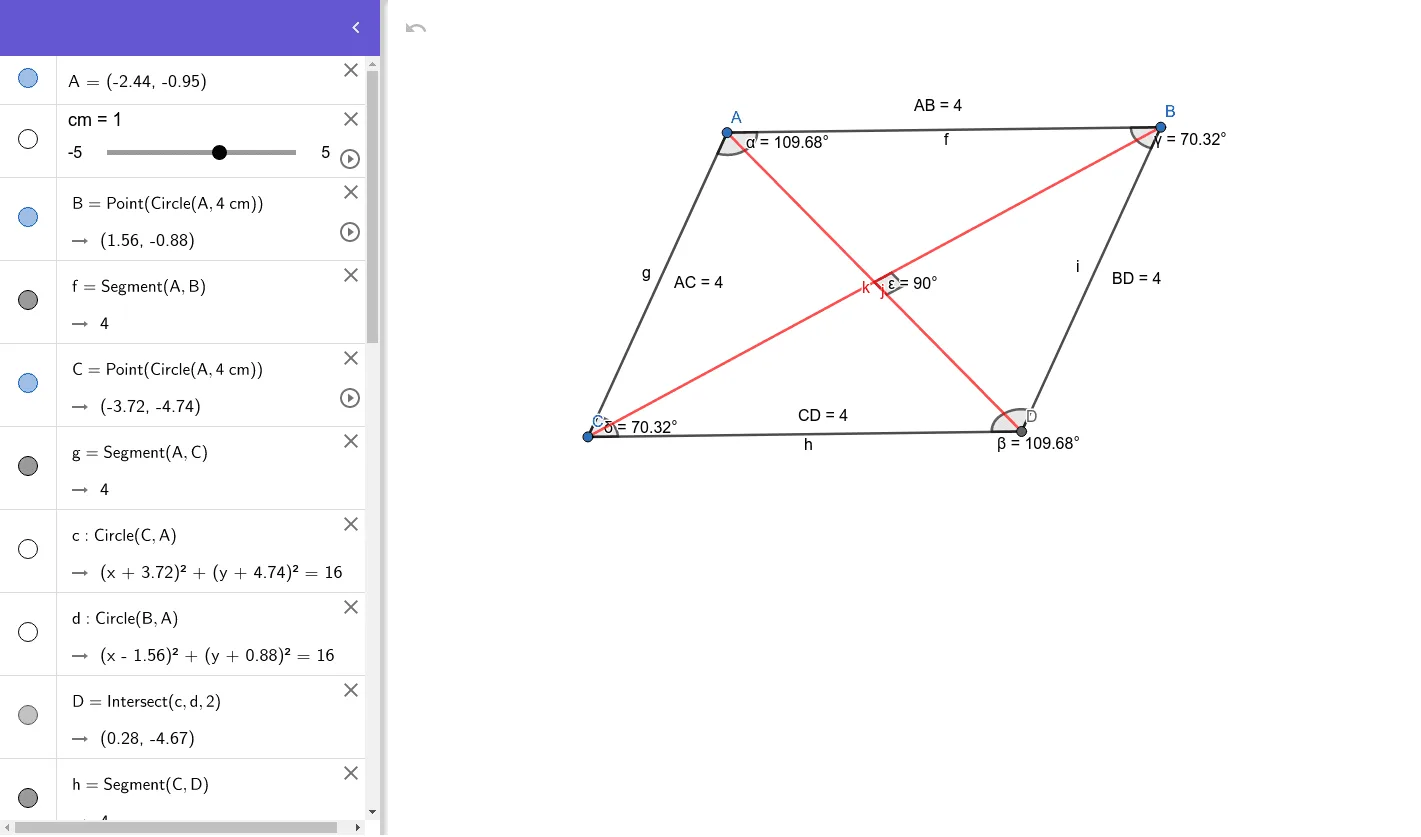
This example demonstrates the geometric properties and relationships of a rhombus interactively. It involves core math concepts like equal sides, perpendicular diagonals, angle bisectors, parametric curves, and loci. Construction highlights include commands like Point, Segment, Circle, Intersect, Angle, Distance, and objects such as A, B, C, α, β, etc. Suitable for high school mathematics education to explore rhombus connections with other shapes (trapezoids, cones) and parametric equations applications.
GeoGebra Commands & Parameters
Point(Circle[A, (4 * cm)]) → BSegment(A, B) → fPoint(Circle[A, (4 * cm)]) → CSegment(A, C) → gCircle(C, A) → cCircle(B, A) → dIntersect(c, d, 2) → DSegment(C, D) → hSegment(B, D) → iAngle(C, A, B) → αAngle(B, D, C) → βAngle(A, B, D) → γAngle(D, C, A) → δDistance(A, B) → distanceABDistance(A, C) → distanceACDistance(C, D) → distanceCDDistance(B, D) → distanceBDSegment(C, B) → jSegment(A, D) → kAngle(k, j) → ε