
Interactive Polar Curves: Dynamic Plotting and Parameter Exploration
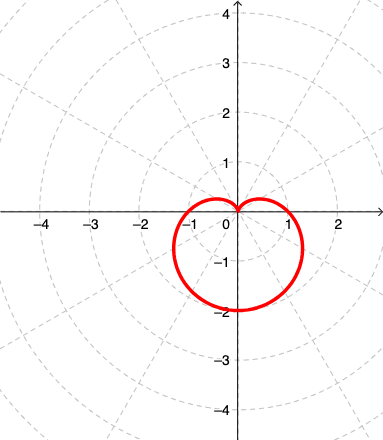
Loading the math board and drawing, please wait…
In collections
MATH1052-edX
This GeoGebra example demonstrates the dynamic plotting of polar curves (r=f(θ)) through interactive input fields and sliders, allowing users to visualize how the curve's shape changes as parameters vary. The core mathematical concepts include the polar coordinate system, parametric equations, curve sketching, angles, and the relationship between equations and their graphical representations, with extensions to fractal geometry and integral calculus. Construction details: the summary lists commands such as Textfield and CurveCartesian (used for polar-to-Cartesian conversion), along with objects including button1, function f, input field inpF, minimum and maximum values (min, max), sliders inpMin and inpMax, text objects text1 and text2, userMove for interactive dragging, curveP for the plotted curve, points A and B, and an image pic1. These components enable users to enter a polar equation, set the angular range, and observe the curve generation and parameter adjustments in real time. Suitable for high school to university-level mathematics instruction, this example helps students grasp the essence of polar and parametric equations, and can also be used to explore fractal geometry or integral applications involving curve shapes.
GeoGebra Commands & Parameters
Textfield(f) → inpFTextfield(min) → inpMinTextfield(max) → inpMaxCurveCartesian((f(θ); θ), θ, min, userMove) → curveP
AI Drawing Prompt Reference
Create an interactive polar curve where users can input a polar equation and adjust the angle range using sliders. First, enter the polar equation, then set the minimum and maximum angle values, and finally generate the curve based on the input equation and angle range.
The prompt above was compiled from the original drawing commands and is for reference only.