
Interactive General Quadric Surface with Adjustable Parameters
Loading the math board and drawing, please wait…
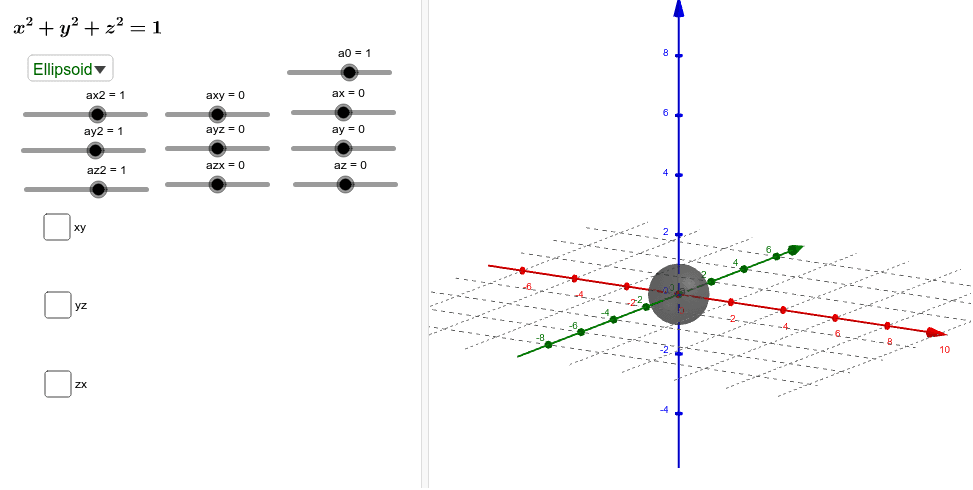
This example demonstrates how to explore the general quadric surface equation ax²+by²+cz²+dxy+eyz+fzx+gx+hy+iz+j=0 by adjusting all ten coefficients via sliders, allowing real-time visualization of the resulting 3D surface. The core mathematical concepts include classification of quadric surfaces (ellipsoids, hyperboloids, paraboloids, cones) and the intersection curves obtained by slicing the surface with planes. Construction highlights: GeoGebra commands such as Plane, IntersectPath, and SelectedIndex are used to create slicing planes (zSlice, xSlice, ySlice) and compute their intersection paths with the surface. Objects include coefficient sliders (ax2, ay2, az2, axy, ayz, azx, ax, ay, az, a0) and slice-related objects (xySliceEq, yzSliceEq, zxSliceEq, text3D, etc.). This is suitable for high school or undergraduate courses in analytic geometry, solid geometry, or mathematical experimentation, helping students intuitively grasp how parameters affect surface shape and cross-sections.
GeoGebra Commands & Parameters
Plane((xSlice, 0, 0), (xSlice, 1, 0), (xSlice, 0, 1)) → yzpPlane((0, ySlice, 0), (1, ySlice, 0), (0, ySlice, 1)) → zxpIntersectPath(yzp, a) → yzSliceIntersectPath(zxp, a) → zxSliceIntersectPath(xyp, a) → xySliceSelectedIndex(ResetTo) → sel
AI Drawing Prompt Reference
Create a 3D plot of a general quadric surface defined by an equation with ten adjustable coefficients, including quadratic, cross, linear, and constant terms. Provide ten sliders to control each coefficient in real time, allowing the surface to morph among ellipsoids, hyperboloids, paraboloids, and cones. Additionally, construct three slicing planes parallel to the coordinate planes, and display the intersection curves between each plane and the surface. These curves update dynamically as the coefficients change, revealing cross-sectional shapes along different directions.
The prompt above was compiled from the original drawing commands and is for reference only.