
Interactive Circle Terminology: Tangent, Secant, and Circumcircle
Loading the math board and drawing, please wait…
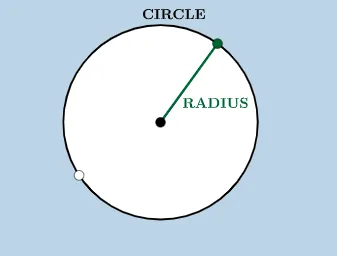
This example uses interactive manipulation to demonstrate how common circle terminology corresponds to concrete geometric elements and their spatial relationships. It focuses on key concepts such as circle components, chords and secant lines, tangents and their tangency points, circle arcs, and the circumcircle/circumscribed circle terminology. Construction in GeoGebra highlights: using Circle to create the circle, Segment and Point/PointIn to define points and point membership, and Line to form straight lines; then Intersect is used to compute intersection points between lines (secants/tangents) and the circle. Tangent directly generates tangency behavior, while CircleArc constructs arc elements, and Rotate can illustrate how the configuration changes under rotation while preserving the terminology. The scene is organized from multiple labeled points (e.g., A, B, C, D, etc.) together with derived lines, arcs, and circle objects. Suitable for middle and high school geometry instruction, self-study, and classroom demonstrations aimed at recognizing terms, practicing constructions, and building intuitive understanding of circle properties.
GeoGebra Commands & Parameters
Circle(A, B) → cSegment(A, B) → aPointIn(b) → CPoint(c) → FSegment(A, F) → hPoint(c) → GPoint(c) → HSegment(G, H) → iLine(H, A) → jCircle(A, B) → kPoint(c) → DRotate(D, 2°, A) → D'CircleArc(A, D', D) → fPoint(f) → JCircleArc(A, J, D) → pPoint(p) → KLine(K, J) → mPoint(c) → ETangent(E, c) → d,PointIn(b) → LTangent(L, c) → e, gPoint(k) → ILine(I, A) → lIntersect(k, l, 2) → MSegment(I, M) → n
AI Drawing Prompt Reference
Draw a circle and select two points on the circle to form a line segment. From one point on the segment, draw a tangent line to the circle, which touches the circle at only one point. Draw a line segment from the center of the circle to the point of tangency, which is the radius of the circle. Then, select another point on the circle and draw another tangent line from this point, which intersects the circle at two points. Finally, draw a line through the center of the circle and the point of tangency, which is the diameter of the circle.
The prompt above was compiled from the original drawing commands and is for reference only.