
Integration Formula Interactive Practice
Loading the math board and drawing, please wait…
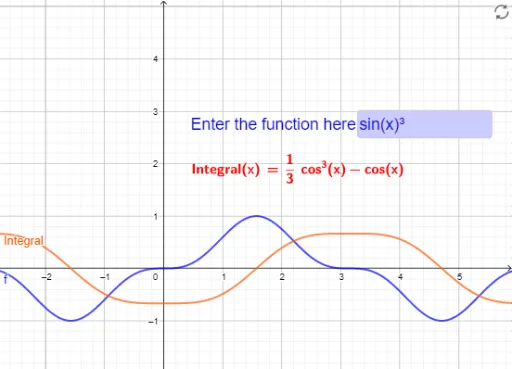
This example demonstrates integration formulas through interactive practice, helping learners understand the basic concepts of integration. It uses the Integral command in GeoGebra for integration calculations, and InputBox1 for inputting function expressions, with c_1 as a constant. Suitable for high school and above students learning integration.
GeoGebra Commands & Parameters
Integral(f) → IntegralTextfield(f) → InputBox1LaTeX(Integral, true, true) → text1
AI Drawing Prompt Reference
Create an interactive integration formula practice. Users can input a function expression through an input box, and the system will calculate the integral and display the result. First, draw an input box for users to enter the function, then calculate the integral within a specified interval and show the result.
The prompt above was compiled from the original drawing commands and is for reference only.