
Integer Number Line
Loading the math board and drawing, please wait…
In collections
Mathematics Form 1
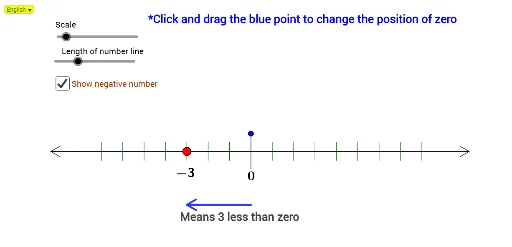
This example demonstrates the construction and visualization of an integer number line. It involves core mathematical concepts such as integers, number lines, addition, and subtraction operations. Key GeoGebra commands and objects used include Line, Circle, Intersect, Segment, OrthogonalLine, Point, Sequence, Distance, IndexOf, If, DynamicCoordinates, Element, Zip, Rotate, Ray, and Midpoint. Suitable for middle school mathematics teaching to understand number line operations and geometric relationships.
GeoGebra Commands & Parameters
Line(A, xAxis) → aCircle(A, 0.5) → fCircle(A, Pj) → cIntersect(c, a, 2) → BSegment(A, B) → bOrthogonalLine(A, b) → dIntersect(f, d, 2) → EOrthogonalLine(B, b) → eCircle(B, 0.5) → gIntersect(g, e, 2) → FSegment(E, F) → hOrthogonalLine(B_1, b) → c_1Intersect(c_1, h) → OOrthogonalLine(A_1, b) → b_1Intersect(b_1, h) → MSegment(M, O) → d_1Point(d_1) → GOrthogonalLine(G, b) → iIntersect(i, b) → HSequence((p, y(H) + 0.25), p, x(H) - Dsz, x(A), (-Dsz)) → LlTopDistance(H, B) → LrSequence((p, y(H) + 0.25), p, x(H) + Dsz, x(H) + Lr, Dsz) → LrTopSequence((p, y(A)), p, x(Element[Last[LlTop], 1]), x(Element[Last[LrTop], 1]), Dsz) → ListMoveIndexOf(H, ListMove) → ZPosPoint(b) → NDistance(N, Element[ListMove, 1]) → KedNDistance(Element[ListMove, TitikP], N) → KiriNDistance(N, Element[ListMove, TitikP + 1]) → KananNIf(KiriN < KananN, Element[ListMove, TitikP], Element[ListMove, TitikP + 1]) → TitikGerakDynamicCoordinates(N, x(TitikGerak), y(TitikGerak)) → MPointIndexOf(MPoint, ListMove) → KedMSequence((p, y(H) - 0.25), p, x(H) - Dsz, x(A), (-Dsz)) → LlBottomSequence((p, y(H) - 0.25), p, x(H) + Dsz, x(H) + Lr, Dsz) → LrBottomDistance(H, A) → LlCircle(H, G) → kIntersect(k, i, 2) → CSegment(G, C) → jElement(Last[ListMove], 1) → LastMIndexOf(LastM, ListMove) → TolEZip(Segment[p, q], p, LrTop, q, LrBottom) → SkalaRZip(Segment[p, q], p, LlTop, q, LlBottom) → SkalaLCircle(H, 1.5) → pIntersect(p, i, 1) → DOrthogonalLine(MPoint, b) → lCircle(MPoint, 1.5) → qIntersect(q, l, 1) → ISegment(D, I) → mCircle(I, 0.3) → rRotate(D, 30°, I) → D'Rotate(D, (-(30°)), I) → D'_1Ray(D', I) → nRay(D'_1, I) → sIntersect(r, n, 1) → JIntersect(r, s, 1) → KMidpoint(D, I) → LIntersect(r, n, 2) → PIntersect(r, s, 2) → QSegment(P, I) → tSegment(Q, I) → a_1Circle(B, 0.75) → e_1Intersect(e_1, a, 2) → RCircle(R, 0.3) → f_1Intersect(f_1, a, 1) → SRotate(S, 30°, R) → S'Rotate(S, (-(30°)), R) → S'_1Segment(R, S'_1) → g_1Segment(R, S') → h_1Segment(R, B) → i_1Circle(A, 1) → k_1Intersect(k_1, a, 1) → TCircle(T, 0.3) → p_1Intersect(p_1, a, 2) → URotate(U, 30°, T) → U'Rotate(U, (-(30°)), T) → U'_1Segment(T, U') → j_1Segment(T, U'_1) → l_1Segment(T, A) → m_1SelectedIndex(Bahasa) → nnIf(nn ≟ 1, "Means " + PosV2 + " less than zero", "Bermaksud " + PosV2 + " kurang daripada sifar") → text4If(nn ≟ 1, "Means " + (LaTeX[PosV]) + " more than zero", "Bermaksud " + (LaTeX[PosV]) + " lebih daripada sifar") → text3If(nn ≟ 1, "*Click and drag the blue point to change the position of zero", "*Klik dan seret titik biru untuk mengubah kedudukan sifar") → text6