
Inscribed Angle Theorems: Take 3!
Loading the math board and drawing, please wait…
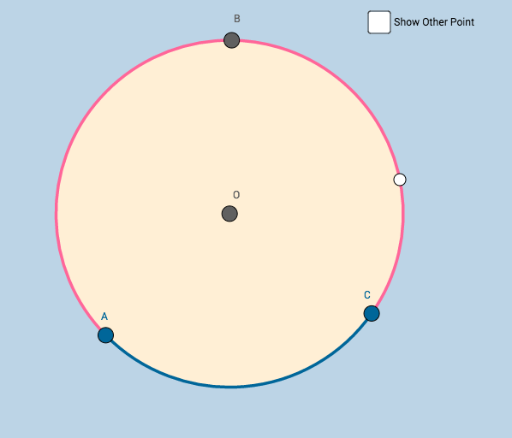
① This interactive GeoGebra example demonstrates the Inscribed Angle Theorem, showing that an inscribed angle is half the measure of its intercepted arc's central angle, with dynamic dragging to explore relationships. ② Core math concepts include inscribed angles, central angles, arcs, and the invariant relationship between them. ③ Construction uses Circle command to create circle c, Point for center O and points A, B, C, D on the circle, CircleArc to define arcs, and angle objects (a, d, e) to display measures dynamically, enabling interactive discovery. ④ Suitable for middle school geometry classes or high school review, ideal for guided inquiry, classroom demonstration, or student self-exploration of geometric theorems.
GeoGebra Commands & Parameters
Circle(O, B_1) → cPoint(c) → APoint(c) → CCircleArc(O, C, A) → dCircleArc(O, A, C) → ePoint(d) → BPoint(d) → D
AI Drawing Prompt Reference
Draw a circle with a center point and mark two points on the circle. Connect these two points to form a chord. Create two angles using the center point and the endpoints of the chord along with another point on the circle, one on the opposite side of the chord. Display the measures of these angles and show the central angle and its corresponding inscribed angle, verifying that the inscribed angle is half the measure of the central angle. Observe the relationship remains constant by dragging points.
The prompt above was compiled from the original drawing commands and is for reference only.