
i / i² and the Hyperbola: A Fascinating Link Among i, π, e(x), and ln(x)
Loading the math board and drawing, please wait…
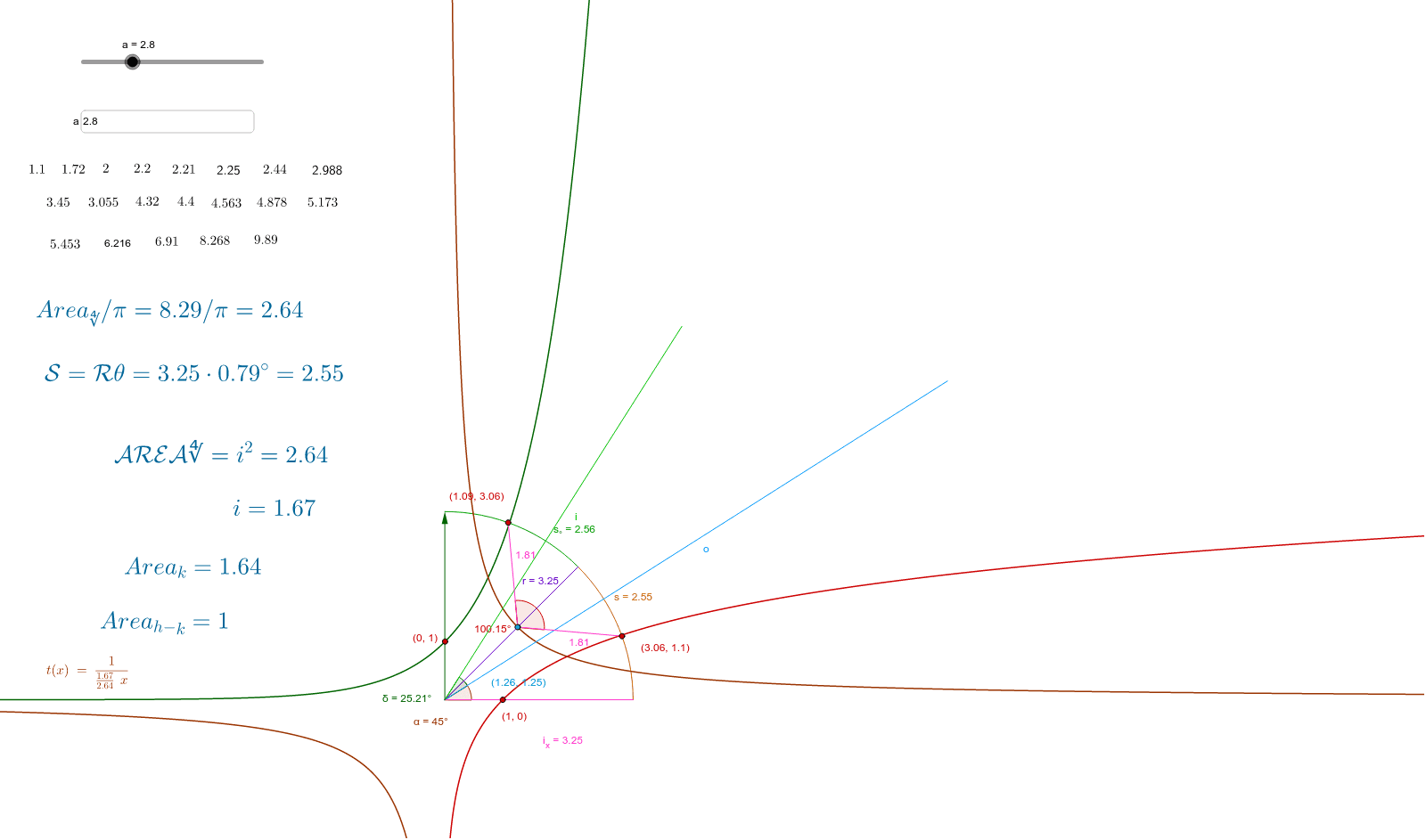
① This GeoGebra example dynamically demonstrates the ratio of the imaginary unit i to i², constructing a hyperbola while integrating constants and functions such as π, the exponential function e(x), and the natural logarithm ln(x), revealing their deep interconnections. ② Core mathematical concepts include complex number operations (i and i²), hyperbola equations, trigonometric functions, exponential and logarithmic functions, as well as piecewise or stochastic process visualizations. ③ Construction highlights: Based on the construction summary, commands such as Point, Circle, Angle, CircleArc, Area, PointIn, Segment, Textfield, and Intersect are used, creating objects a, b, v, u, w, A, B, c, α, C, s, d, Textc, Pointc, i_x, m, r, β, γ, text1, InputBox1, text2, text3, f, g, D, s_°, Area_∜, h, text4, E, F, G, H, text6 through text11, involving points, circles, angles, arcs, areas, segments, text input boxes, and intersections, with interactive input boxes for dynamic parameter adjustment. ④ Suitable for high school to university-level mathematics learners, this example is ideal for exploring the intersection of complex numbers and analytic geometry, and can serve as a demonstration tool for mathematical modeling or interdisciplinary teaching.
GeoGebra Commands & Parameters
Point(u) → BCircle(A, B) → cAngle(u, w) → αPoint(c) → CCircleArc(A, B, C) → sArea(c) → dPointIn(c) → PointcSegment(A, B) → i_xSegment(A, C) → rTextfield(a) → InputBox1Point(v) → DCircleArc(A, C, D) → s_°Point(s) → EPoint(s_°) → FPoint(f) → GIntersect(g, i_x, (0.9999999999952821, -4.717892743155732E-12)) → HPoint(f_1) → IPoint(q) → JSegment(A, J) → oSegment(A, I) → iAngle(J, A, I) → δIntersect(t, r, (1.2570264316916446, 1.2538587770703193)) → KSegment(K, F) → eSegment(K, E) → jAngle(E, K, F) → ε
AI Drawing Prompt Reference
Create a dynamic geometric figure demonstrating the relationship between imaginary unit i and i², featuring hyperbolas, circles, arcs, and multiple angles. Construction sequence: first select control points on the plane, draw circles centered at one point with another on circumference, create segments connecting points and label angles; then add input text boxes for parameter adjustment; generate random points inside circles, draw segments from center to points on arcs, form intersections and connect them to create additional angles; integrate mathematical constants like π with exponential function e(x) and natural logarithm ln(x), suitable for exploring intersections of complex numbers and analytic geometry.
The prompt above was compiled from the original drawing commands and is for reference only.